


Building a Simple RSS Feed Aggregator with Node.js

To build an RSS aggregator, you need to use Node.js to combine axios and rss-parser packages to grab and parse multiple RSS sources. First, initialize the project and install the dependencies, and then define a URL list containing Hacker News, TechCrunch and other sources in aggregator.js. Concurrently obtain and process data from each source through Promise.all, extract the title, link, release time and source, and arrange it in reverse order of time. Then, you can output the console or create a server in Express to return the results in JSON format. Finally, you can add a cache mechanism to avoid frequent requests and improve performance, thereby achieving an efficient and extensible RSS aggregation system.

Building an RSS feed aggregator with Node.js is simpler than it sounds. With just a few packages and a bit of JavaScript, you can pull in content from multiple blogs or news sites and display them in one place. Here's how to build a basic RSS feed aggregator using Node.js.
Why Build an RSS Aggregator?
RSS (Really Simple Syndication) feeds let websites publish frequently updated content in a standardized format. An aggregator pulls these feeds, parses them, and presents the latest articles in a unified way. It's useful for tracking blogs, news, or podcasts without visiting each site individually.
Node.js works well for this because of its strong ecosystem and async capabilities—perfect for fetching and processing multiple feeds.

1. Set Up the Project
Start by initializing a new Node.js project:
 mkdir rss-aggregator
cd rss-aggregator
npm init -y
Install the required dependencies. We'll use axios for HTTP requests and rss-parser to parse RSS feeds:
npm install axios rss-parser
2. Fetch and Parse RSS Feeds
Create a file called aggregator.js . Here's a basic script that fetches and parses a few feeds:
 const Parser = require('rss-parser');
const parser = new Parser();

async function aggregateFeeds() {
  const feedUrls = [
    'https://hnrss.org/newest', // Hacker News
    'https://feeds.feedburner.com/blogspot/gJZGY', // TechCrunch
    'https://rss.simplecast.com/podcasts/4661/rss' // A podcast or blog
  ];

  const feedPromises = feedUrls.map(async (url) => {
    try {
      const feed = await parser.parseURL(url);
      return feed.items.map(item => ({
        title: item.title,
        link: item.link,
        pubDate: item.pubDate,
        source: feed.title
      }));
    } catch (err) {
      console.error(`Failed to fetch ${url}:`, err.message);
      return [];
    }
  });

  const results = await Promise.all(feedPromises);
  const allItems = results.flat();

  // Sort by date, newest first
  allItems.sort((a, b) => new Date(b.pubDate) - new Date(a.pubDate));

  return allItems;
}
This function:
- Defines a list of RSS feed URLs
- Uses
Promise.allto fetch them concurrently - Maps each feed's items with consistent fields
- Handles errors gracefully (eg, if a feed is unreachable)
- Flattens and sorts all articles by publication date
3. Display or Serve the Results
You can log the results to the console:
 // Add to the bottom of aggregator.js
aggregateFeeds().then(items => {
  items.forEach(item => {
    console.log(`[${item.source}] ${item.title} (${item.pubDate})\n${item.link}\n`);
  });
});
Or, better yet, create a simple Express server to serve the data as JSON:
npm install express
Create server.js :
 const express = require('express');
const { aggregateFeeds } = require('./aggregator');

const app = express();
const PORT = 3000;

app.get('/feeds', async (req, res) => {
  try {
    const items = await aggregateFeeds();
    res.json(items);
  } catch (err) {
    res.status(500).json({ error: err.message });
  }
});

app.listen(PORT, () => {
  console.log(`RSS Aggregator running on http://localhost:${PORT}`);
});
Run it:
node server.js
Visit http://localhost:3000/feeds to see your aggregated feed in JSON.
4. Enhance with Caching (Optional)
Fetching feeds on every request isn't efficient. Add simple in-memory caching:
 let cachedFeeds = null;
let lastFetch = 0;
const CACHE_TTL = 10 * 60 * 1000; // 10 minutes

async function getAggregatedFeeds() {
  const now = Date.now();
  if (cachedFeeds && (now - lastFetch) < CACHE_TTL) {
    return cachedFeeds;
  }

  cachedFeeds = await aggregateFeeds();
  lastFetch = now;
  return cachedFeeds;
}
Then use getAggregatedFeeds() in your Express route.
Final Thoughts
You now have a working RSS feed aggregator that:
- Pulls multiple feeds
- Parses and normalizes content
- Serves it via a simple API
From here, you could:
- Add a frontend (React, Vue, or plain HTML)
- Support user-submitted feeds
- Filter by keywords or sources
- Deploy it with PM2 or to platforms like Vercel, Render, or AWS
It's not flashy, but it's functional—and a great starting point for more advanced features.
Basically, with just a little code, you've turned scattered content into a single stream. And that's the whole point of RSS.
The above is the detailed content of Building a Simple RSS Feed Aggregator with Node.js. For more information, please follow other related articles on the PHP Chinese website!

Hot AI Tools

Undress AI Tool
Undress images for free

AI Clothes Remover
Online AI tool for removing clothes from photos.

Undresser.AI Undress
AI-powered app for creating realistic nude photos

ArtGPT
AI image generator for creative art from text prompts.

Stock Market GPT
AI powered investment research for smarter decisions

Hot Article
Popular tool

Notepad++7.3.1
Easy-to-use and free code editor

SublimeText3 Chinese version
Chinese version, very easy to use

Zend Studio 13.0.1
Powerful PHP integrated development environment

Dreamweaver CS6
Visual web development tools

SublimeText3 Mac version
God-level code editing software (SublimeText3)
Hot Topics
 20519
20519
 7
13632
4
7
13632
4

 How to configure and use Nginx server in Node.js
May 23, 2023 pm 03:25 PM
How to configure and use Nginx server in Node.js
May 23, 2023 pm 03:25 PM
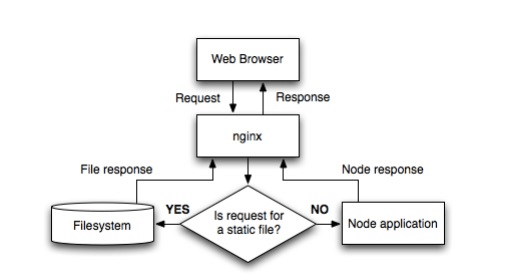
Node.js is a platform built on the Chrome JavaScript runtime, which is used to easily build web applications with fast response speed and easy expansion. Node.js uses an event-driven, non-blocking I/O model to be lightweight and efficient. It is very suitable for data-intensive real-time applications running on distributed devices, such as real-time chat and so on. However, gzip encoding, static files, http caching, SSL processing, load balancing and reverse proxy, etc., can all be completed through nginx, thereby reducing the load on node.js and saving website traffic through nginx's powerful cache. Improve website loading speed. The flow chart nginx configuration is as follows: http{proxy_
 Comparison of Golang and Node.js in backend development
Jun 03, 2024 pm 02:31 PM
Comparison of Golang and Node.js in backend development
Jun 03, 2024 pm 02:31 PM
Go and Node.js have differences in typing (strong/weak), concurrency (goroutine/event loop), and garbage collection (automatic/manual). Go has high throughput and low latency, and is suitable for high-load backends; Node.js is good at asynchronous I/O and is suitable for high concurrency and short requests. Practical cases of the two include Kubernetes (Go), database connection (Node.js), and web applications (Go/Node.js). The final choice depends on application needs, team skills, and personal preference.
 The AI era of JS is here!
Apr 08, 2024 am 09:10 AM
The AI era of JS is here!
Apr 08, 2024 am 09:10 AM
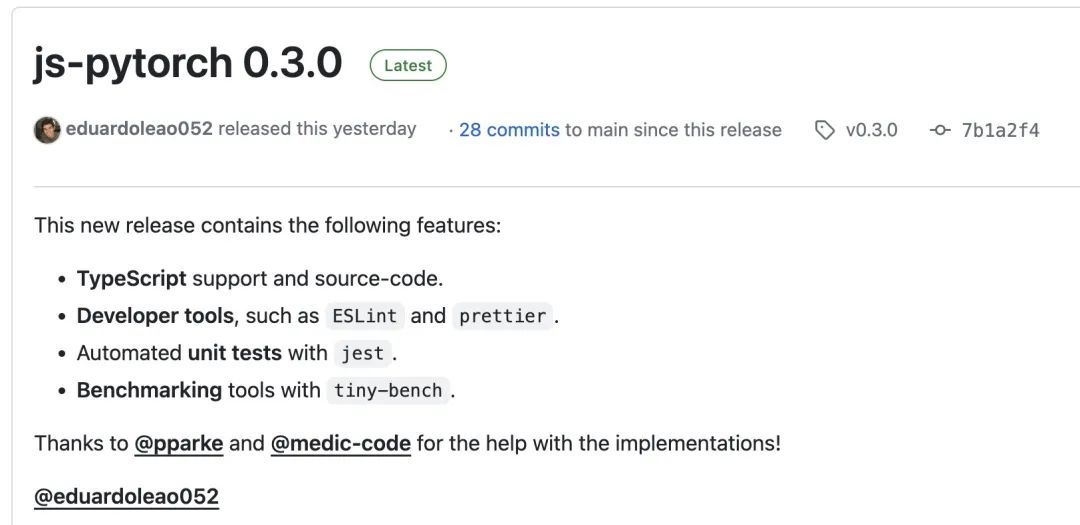
Introduction to JS-Torch JS-Torch is a deep learning JavaScript library whose syntax is very similar to PyTorch. It contains a fully functional tensor object (can be used with tracked gradients), deep learning layers and functions, and an automatic differentiation engine. JS-Torch is suitable for deep learning research in JavaScript and provides many convenient tools and functions to accelerate deep learning development. Image PyTorch is an open source deep learning framework developed and maintained by Meta's research team. It provides a rich set of tools and libraries for building and training neural network models. PyTorch is designed to be simple, flexible and easy to use, and its dynamic computation graph features make
 Play with Lerna to help you easily build Monorepo
Sep 11, 2023 am 10:13 AM
Play with Lerna to help you easily build Monorepo
Sep 11, 2023 am 10:13 AM
A monorepo is a single repository with multiple related services, projects, and components that different teams can use to store code for related or unrelated projects. The word monorepo is derived from mono, which means single, and repo, which is the abbreviation of repository.
 MongoDB and Node.js integrated development practice
Apr 12, 2025 am 06:30 AM
MongoDB and Node.js integrated development practice
Apr 12, 2025 am 06:30 AM
This article describes how to integrate Node.js and MongoDB using MongoDB drivers. 1. The MongoDB driver is a bridge connecting the two and provides API for database operations; 2. The code example shows connecting to the database, inserting and querying documents, and uses async/await and try... finally blocks; 3. In actual applications, pagination query, error handling, performance optimization (index, database structure design, batch operation) and code readability should be considered. Through these steps, flexible and high-performance applications can be efficiently built.
 How to build a node.js development environment on Linux virtual machine
May 28, 2023 pm 10:43 PM
How to build a node.js development environment on Linux virtual machine
May 28, 2023 pm 10:43 PM
1. Install the Linux system (you can skip this step if you have already installed Linux). Recommended virtual machine options: virtualbox or vmware (Professional version permanent activation code: 5a02h-au243-tzj49-gtc7k-3c61n) I use vmware here. After installing vmware, click New Virtual Machine, choose to install the operating system later, and then configure it. The virtual machine settings are as follows: { Guest operating system: other; Version: other 64-bit; Virtual machine name: node.js; Location: d:\vm\node.js; Other default;} The virtual machine is built and configured as the picture shows. There is a question here
 How to make an HTTP request in Node.js?
Jul 13, 2025 am 02:18 AM
How to make an HTTP request in Node.js?
Jul 13, 2025 am 02:18 AM
There are three common ways to initiate HTTP requests in Node.js: use built-in modules, axios, and node-fetch. 1. Use the built-in http/https module without dependencies, which is suitable for basic scenarios, but requires manual processing of data stitching and error monitoring, such as using https.get() to obtain data or send POST requests through .write(); 2.axios is a third-party library based on Promise. It has concise syntax and powerful functions, supports async/await, automatic JSON conversion, interceptor, etc. It is recommended to simplify asynchronous request operations; 3.node-fetch provides a style similar to browser fetch, based on Promise and simple syntax
 A complete guide to installing Node.js in Debian system and managing Node.js software packages
Feb 12, 2024 pm 07:45 PM
A complete guide to installing Node.js in Debian system and managing Node.js software packages
Feb 12, 2024 pm 07:45 PM
Node.js is a JavaScript running environment based on the Google V8 engine, which allows JavaScript to run on the server side. We will introduce in detail how to install Node.js in the Debian system and discuss the package management of Node.js. Install Node.js in Debian system1. Open the terminal and update the package list: ```bashsudoapt-getupdate```2. Install Node.js: sudoapt-getinstallnodejs3. Verify whether Node.js is installed successfully. You can enter the following in the terminal Command to view the version of Node.js: node
