


HTML basic tutorial hyperlink
Hyperlinks can be seen everywhere on the website. Open Baidu News and click on a paragraph at will to open the news details page. These are all hyperlinks:
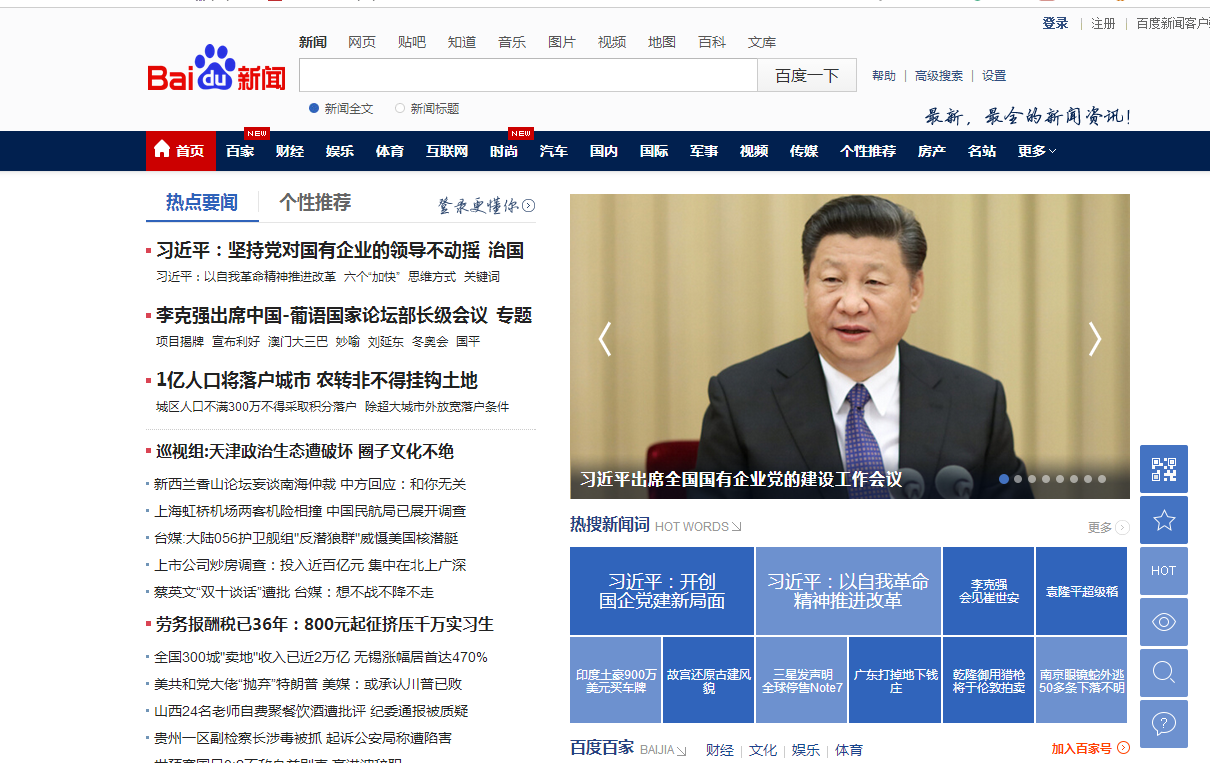
Next, let’s introduce the detailed knowledge of hyperlinks
##Hyperlinks
<a attribute = "value">......</a>
Note:<a> cannot contain the <a> tag
Common attributes## href: The address URL of the target file. The URL can be a relative address or an absolute address.
- target: The display window of the target file.
- _self: Open the target file in the current window (open by default), equivalent to the "replace" operation.
- _parent: Open the target file in the parent window.
- _top: Open the target file in the top-level window.
- Among the commonly used frame web pages of _parent and _top, we will introduce them later
1. Absolute address URL
(1) Remote absolute address
<!DOCTYPE HTML>
<html>
    <head>
        <meta http-equiv="Content-Type" content="text/html; charset=utf-8">
    </head>
    <body>
        <h1>欢迎加入php.cn</h1>
        <a href="//m.sbmmt.com/" >php.cn</a>
        <hr>
        <a href="http://www.taobao.com/" target="_blank">淘宝网</a>
        <hr>
        <a href="http://www.baidu.com/" target="_blank">百度</a>
    </body>
</html>
(2) Local absolute address (rarely used)
The absolute address to access the local is an absolute address starting with <a href="http://file:///.">file:///. </a>
<!DOCTYPE HTML>
<html>
    <head>
        <meta http-equiv="Content-Type" content="text/html; charset=utf-8">
    </head>
    <body>
        <h1>欢迎加入php.cn</h1>
        <a href="//m.sbmmt.com/" >php.cn</a>
        <hr>
        <a href="http://www.taobao.com/" target="_blank">淘宝网</a>
        <hr>
        <a href="http://www.baidu.com/" target="_blank">百度</a>
        <a href="file:///D:/image.html" target="_blank">点击查看图片</a>
    </body>
</html>
Note: Please test locally
2. Relative address URL (the path in the project is generally a relative path, please test it locally)
(1) The current file and the target file are in a same-level relationship, and the link address directly writes the target file name.
<!DOCTYPE HTML>
<html>
    <head>
        <meta http-equiv="Content-Type" content="text/html; charset=utf-8">
    </head>
    <body>
        <h1>欢迎加入php.cn</h1>
       <a href="1.jpg">图片</a>
    </body>
</html>
(2) The current file and the folder where the target file is located are in a sibling relationship. First look for the "folder name" and then the "file name".
That is, the target file is located at the next level.
<!DOCTYPE HTML>
<html>
    <head>
        <meta http-equiv="Content-Type" content="text/html; charset=utf-8">
    </head>
    <body>
        <h1>欢迎加入php.cn</h1>
       <a href="image/1.jpg">图片</a>
    </body>
</html>
(3) The target file is located in the upper directory. Find the corresponding directory upwards, and then find the file in the directory.
Look up and use the "../" symbol.
"../" represents the upper-level directory
"../../" represents the two-level directories
<!DOCTYPE HTML>
<html>
    <head>
        <meta http-equiv="Content-Type" content="text/html; charset=utf-8">
    </head>
    <body>
        <h1>欢迎加入php.cn</h1>
       <a href="../image/1.jpg">图片</a>
    </body>
</html>
3. Special link
(1)、Download link
What kind of files will be prompted for download?
On the other hand, which files and web pages can be executed directly? Such as: .jpg, .png, .gif, .html, .htm, .txt, etc.
Most files cannot be executed directly by the browser. Such as: .doc, .xls, .ppt, .rar, .psd...
If it cannot be executed directly, a download box will appear
<!DOCTYPE HTML>
<html>
    <head>
        <meta http-equiv="Content-Type" content="text/html; charset=utf-8">
    </head>
    <body>
        <h1>欢迎加入php.cn</h1>
       <a href="image/1.rar">下载</a>
    </body>
</html>
(2), Email link
<!DOCTYPE HTML>
<html>
    <head>
        <meta http-equiv="Content-Type" content="text/html; charset=utf-8">
    </head>
    <body>
        <h1>欢迎加入php.cn</h1>
       <a href="mailto:php@php.cn">有问题的话,请给我们发邮件</a>
    </body>
</html>
(3), ordinary empty link(#)
Step to execute any jump link:
<!DOCTYPE HTML>
<html>
    <head>
        <meta http-equiv="Content-Type" content="text/html; charset=utf-8">
    </head>
    <body>
        <h1>欢迎加入php.cn</h1>
       <a href="#">这是一个空链接</a>
    </body>
</html>
- Course Recommendations
- Courseware download














 The courseware is not available for download at the moment. The staff is currently organizing it. Please pay more attention to this course in the future~