


PHP development basic tutorial date
1. PHP date() function introduction
PHP date() function is used to format time/date.
PHP date() function can format the timestamp into a more readable date and time.
Note:
A timestamp is a character sequence that represents the date/time when a certain event occurred.
PHP’s time() function is used to return the Unix timestamp of the current time
Syntax:
string date ( string $format [, int $timestamp ] )

##2. PHP Date() - Format date
The first required parameter format of the date() function specifies how to format the date/time. Here are some available characters:- d - represents the day of the month (01 - 31)
- m - represents the month (01 - 12)
- Y - represents the year (four digits)
If you need to know the format For a list of all characters available in parameters, please consult the PHP manual, date() function.
You can insert other characters between letters, such as "/", "." or "-", so that you can add additional formats: Example: See 2_1 for the code .php<?php
//输出不同格式的时间
echo date("Y/m/d") . "<br>";
echo date("Y.m.d") . "<br>";
echo date("Y-m-d");
?>The output is as shown on the rightNote: You can output the time data you want to output according to the following table
Format string The following format parameter strings can be recognized: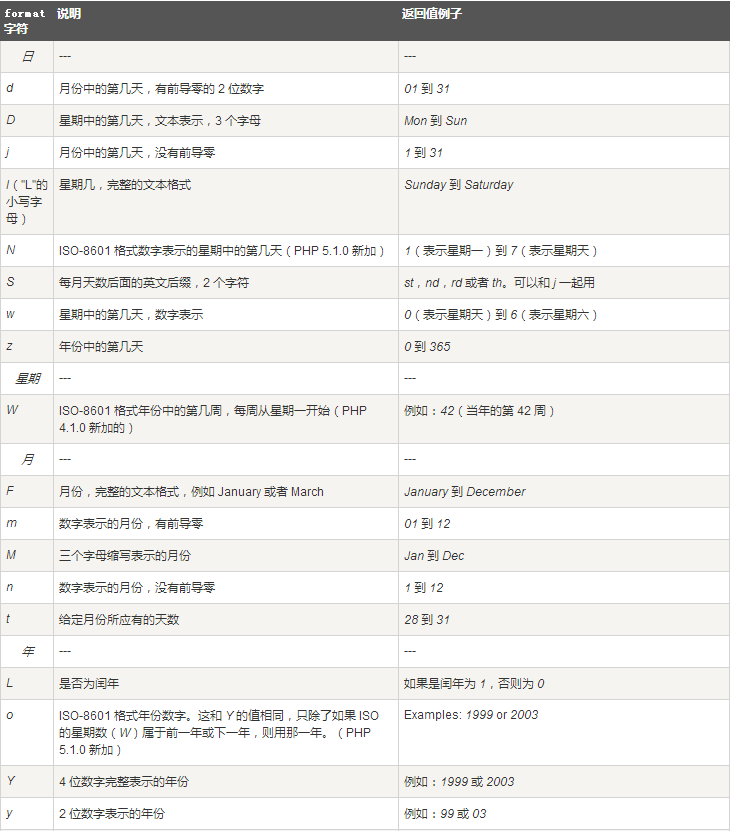
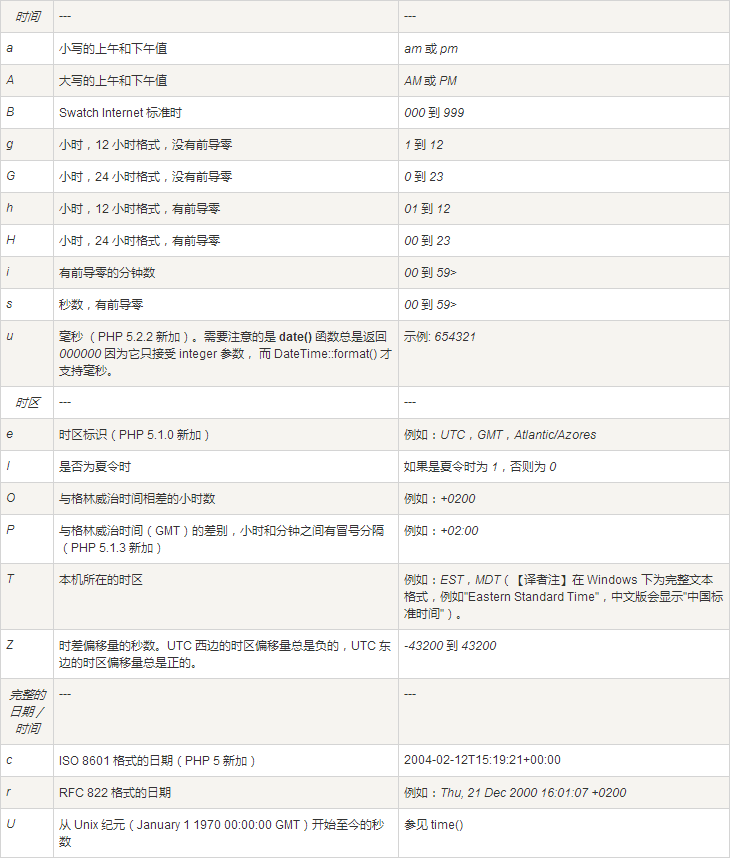
Note: To view all date functions For a complete reference manual, please visit our Complete PHP Date Reference Manual.
- Course Recommendations
- Courseware download













 The courseware is not available for download at the moment. The staff is currently organizing it. Please pay more attention to this course in the future~