


 Software Tutorial
Mobile Application
How to cancel continuous monthly subscription in 'UC Browser'
Software Tutorial
Mobile Application
How to cancel continuous monthly subscription in 'UC Browser'
How to cancel continuous monthly subscription in 'UC Browser'

The article brought by php editor Strawberry will teach you how to cancel the continuous monthly subscription service in "UC Browser". No matter what obstacle or challenge you face, this guide will provide you with clear steps to help you handle it with ease. Read this article now to master the key operation methods, making you more comfortable when using the browser!
How to cancel continuous monthly subscription in uc browser
Method 1: uc browser
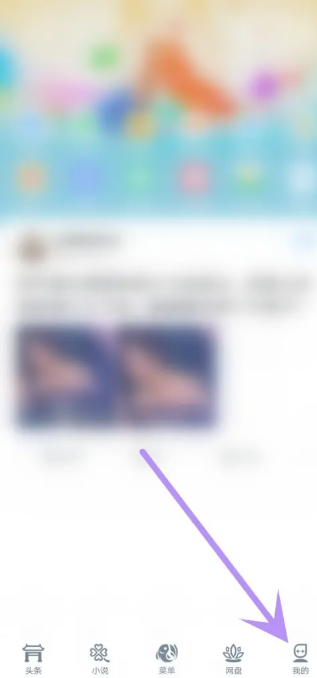
1. First open uc browser and enter the main page, click [My] in the lower left corner;
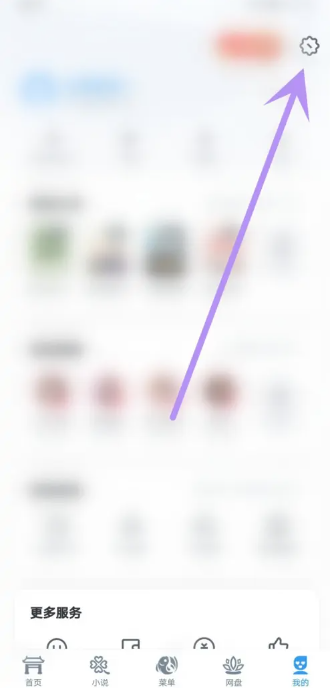
2. Then enter the My Function Area and select [Settings] Service Function in the upper right corner;
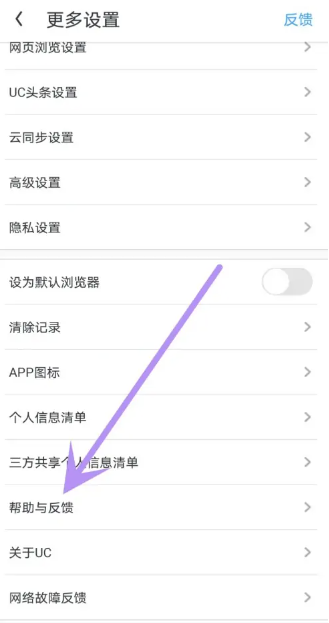
3. Then on the more settings service page, slide to the [Help and Feedback] function at the bottom;
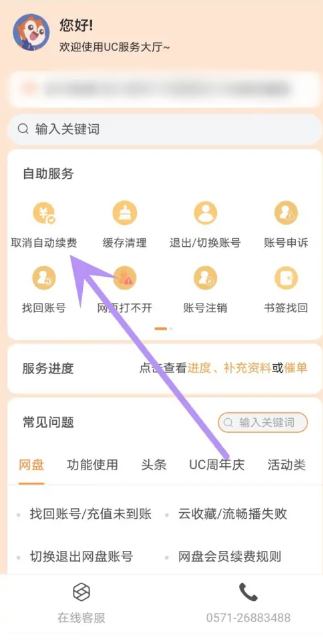
4. Finally jump to the interface in the picture below, find [Cancel automatic renewal] in the automatic service to cancel the continuous monthly subscription.
Method 2: WeChat
1. First open the WeChat APP and enter the main page, click [Me] in the lower right corner;
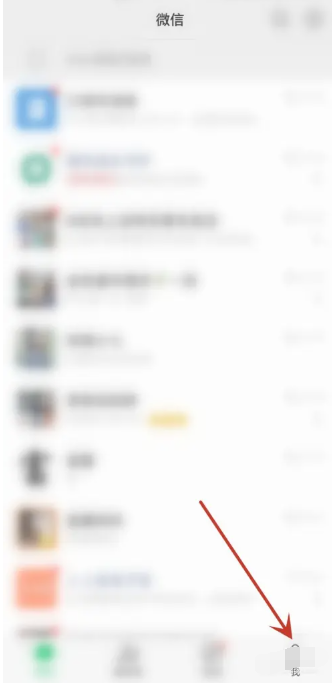
2. Then jump to my area and select the [Service] function;
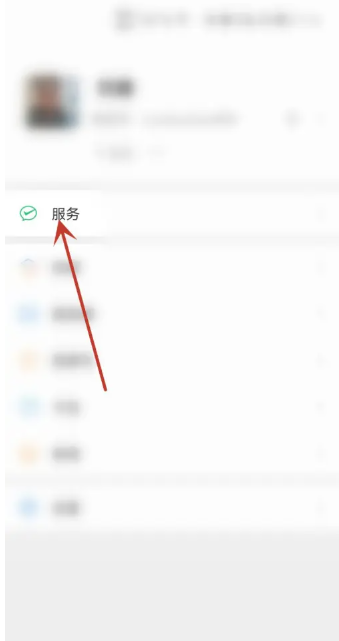
3. Then find [Wallet] on the service function page;
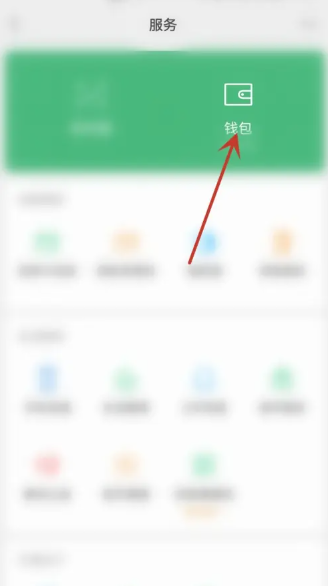
4. Then in the wallet interface, click [Payment Settings] at the bottom;
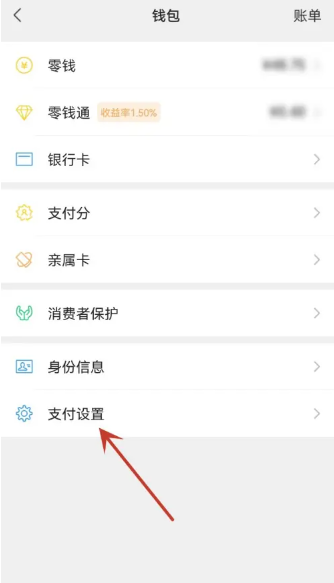
5. On the payment settings function page, find the [Automatic Renewal] service at the top;
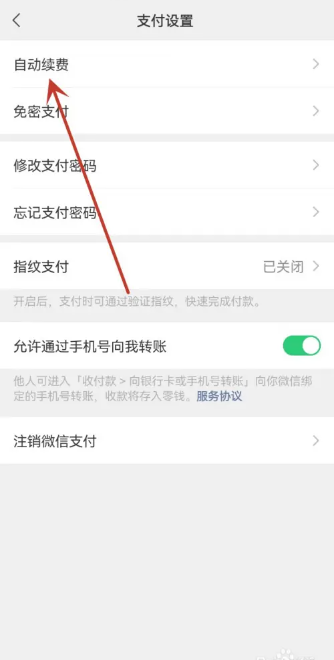
6. Then in the automatic renewal interface as shown below, find [uc browser membership automatic renewal];
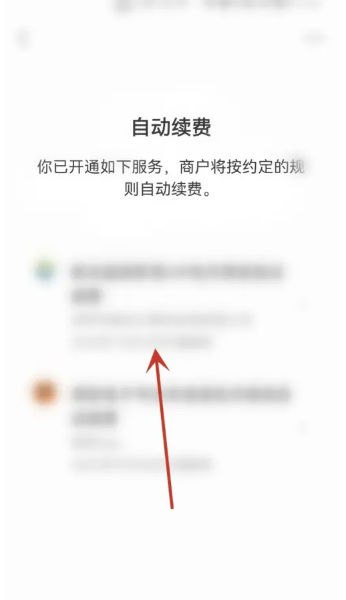
7. Finally, on the function page shown in the figure below, select [Close Service] to complete.

Method 3: Alipay
1. First open the Alipay APP, enter the My page, and click the [Settings] function in the upper right corner;
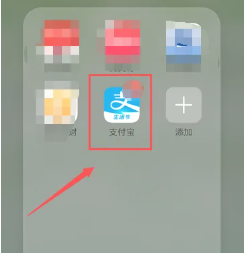
2. Then on the setting function page, select the [Payment Settings] service;
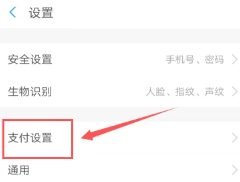
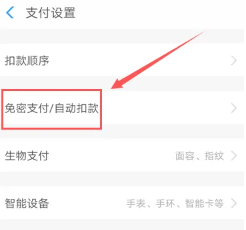
3. Then in the payment setting service interface, find [Password-free payment/automatic deduction];
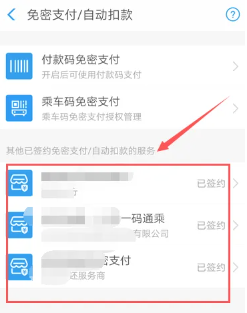
4. Then on the password-free payment/automatic deduction function page, select [uc member automatic renewal];
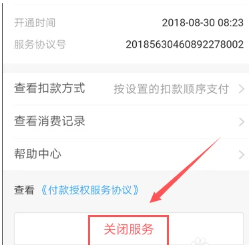
5. Finally, jump to the page shown in the picture below, and click [Close Service] at the bottom.
The above is the detailed content of How to cancel continuous monthly subscription in 'UC Browser'. For more information, please follow other related articles on the PHP Chinese website!

Hot AI Tools

Undresser.AI Undress
AI-powered app for creating realistic nude photos

AI Clothes Remover
Online AI tool for removing clothes from photos.

Undress AI Tool
Undress images for free

Clothoff.io
AI clothes remover

AI Hentai Generator
Generate AI Hentai for free.

Hot Article
Hot Tools

Notepad++7.3.1
Easy-to-use and free code editor

SublimeText3 Chinese version
Chinese version, very easy to use

Zend Studio 13.0.1
Powerful PHP integrated development environment

Dreamweaver CS6
Visual web development tools

SublimeText3 Mac version
God-level code editing software (SublimeText3)
Hot Topics
 1378
1378
 52
52

 How to withdraw money from TokenPocket payment platform to Alipay or WeChat
Aug 29, 2024 pm 06:51 PM
How to withdraw money from TokenPocket payment platform to Alipay or WeChat
Aug 29, 2024 pm 06:51 PM
Yes, you can withdraw tokens to Alipay or WeChat via TokenPocket: Open the TokenPocket app and select the "Wallet" tab. Select the token you want to withdraw, click "Withdraw" and select "Alipay" or "WeChat". Enter the withdrawal amount and confirm the withdrawal address. Pay the handling fee and confirm the withdrawal request, and wait a few minutes to a few hours for the withdrawal to be completed.
 Alipay PHP SDK transfer error: How to solve the problem of 'Cannot declare class SignData'?
Apr 01, 2025 am 07:21 AM
Alipay PHP SDK transfer error: How to solve the problem of 'Cannot declare class SignData'?
Apr 01, 2025 am 07:21 AM
Alipay PHP...
 How to withdraw money from Bitget Wallet to Alipay
Sep 04, 2024 pm 07:25 PM
How to withdraw money from Bitget Wallet to Alipay
Sep 04, 2024 pm 07:25 PM
The steps to withdraw money to Alipay using BitgetWallet are as follows: Open BitgetWallet and enter your password or use your fingerprint to unlock. Click Withdraw to select a cryptocurrency. Enter Alipay information and fill in the payment account number and amount. Select network Select the network that matches the Alipay payment method. Set Handling Fee Confirm the handling fee amount and accept it. Confirm and submit the inspection information and click Confirm. Waiting for confirmation awaits verification by the blockchain network. Fund withdrawals received will be credited to the Alipay payment account.
 How to solve the problem of 'Undefined array key 'sign'' error when calling Alipay EasySDK using PHP?
Mar 31, 2025 pm 11:51 PM
How to solve the problem of 'Undefined array key 'sign'' error when calling Alipay EasySDK using PHP?
Mar 31, 2025 pm 11:51 PM
Problem Description When calling Alipay EasySDK using PHP, after filling in the parameters according to the official code, an error message was reported during operation: "Undefined...
 List of handling fees for okx trading platform
Feb 15, 2025 pm 03:09 PM
List of handling fees for okx trading platform
Feb 15, 2025 pm 03:09 PM
The OKX trading platform offers a variety of rates, including transaction fees, withdrawal fees and financing fees. For spot transactions, transaction fees vary according to transaction volume and VIP level, and adopt the "market maker model", that is, the market charges a lower handling fee for each transaction. In addition, OKX also offers a variety of futures contracts, including currency standard contracts, USDT contracts and delivery contracts, and the fee structure of each contract is also different.
 Sesame Open Door Login Registration Entrance gate.io Exchange Registration Official Website Entrance
Mar 04, 2025 pm 04:51 PM
Sesame Open Door Login Registration Entrance gate.io Exchange Registration Official Website Entrance
Mar 04, 2025 pm 04:51 PM
Gate.io (Sesame Open Door) is the world's leading cryptocurrency trading platform. This article provides a complete tutorial on spot trading of Gate.io. The tutorial covers steps such as account registration and login, KYC certification, fiat currency and digital currency recharge, trading pair selection, limit/market transaction orders, and orders and transaction records viewing, helping you quickly get started on the Gate.io platform for cryptocurrency trading. Whether a beginner or a veteran, you can benefit from this tutorial and easily master the Gate.io trading skills.
 Ouyi Exchange app domestic download tutorial
Mar 21, 2025 pm 05:42 PM
Ouyi Exchange app domestic download tutorial
Mar 21, 2025 pm 05:42 PM
This article provides a detailed guide to safe download of Ouyi OKX App in China. Due to restrictions on domestic app stores, users are advised to download the App through the official website of Ouyi OKX, or use the QR code provided by the official website to scan and download. During the download process, be sure to verify the official website address, check the application permissions, perform a security scan after installation, and enable two-factor verification. During use, please abide by local laws and regulations, use a safe network environment, protect account security, be vigilant against fraud, and invest rationally. This article is for reference only and does not constitute investment advice. Digital asset transactions are at your own risk.
 How to withdraw money from Bitget Wallet Bitpie payment platform to Alipay or WeChat
Sep 04, 2024 pm 06:57 PM
How to withdraw money from Bitget Wallet Bitpie payment platform to Alipay or WeChat
Sep 04, 2024 pm 06:57 PM
How to withdraw money to Alipay or WeChat through BitgetWallet? 1. Log in to the BitgetWallet payment platform; 2. Select the asset to be withdrawn; 3. Click the "Withdraw" button; 4. Select the withdrawal method (Alipay or WeChat); 5. Enter the withdrawal amount and payment account number; 6. Confirm and submit.
