


A lot of users have been added to the Ubuntu system. I want to delete the unused users. How to delete them? Let’s take a look at the detailed tutorial below.
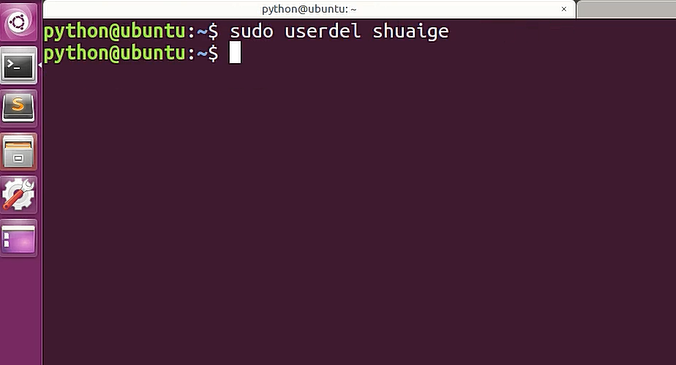
1. Open the terminal command line and use theuserdel commandto delete the specified user.Be sure to add the sudo permission command,as shown in the figure below
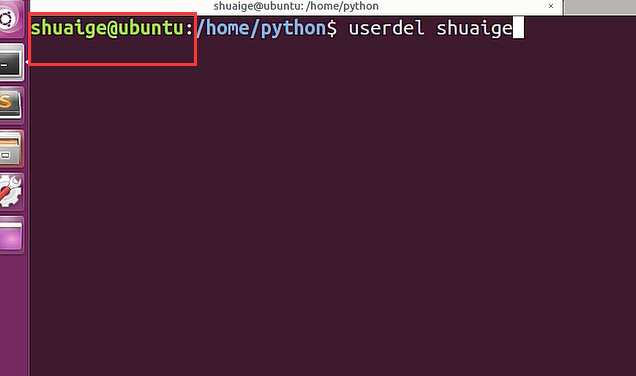
2. When deleting,must pay attention to thein the administrator directory.Ordinary users do not have this permission, as shown in the figure below
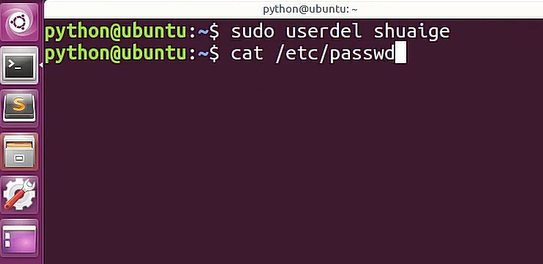
3. After the deletion command is executed, how to determine whether it has been truly deleted? Next we use thecat commandto open the passwd file, as shown in the figure below
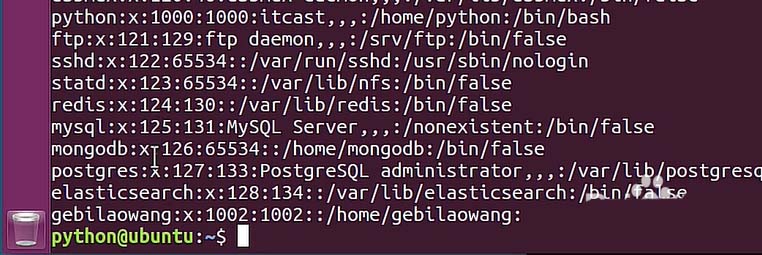
passwd file, which proves that the user has been deleted, as shown in the figure below
the home folder,what you can see is the deleted user,its folder has not been deleted, as shown in the figure below
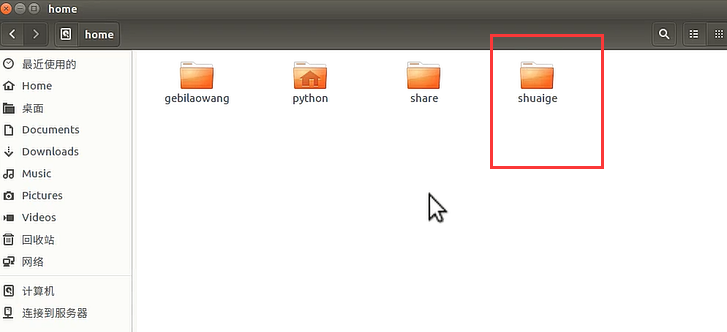
need to bring therparameter, as shown in the figure below prompt, but you must pay attention when performing this operation
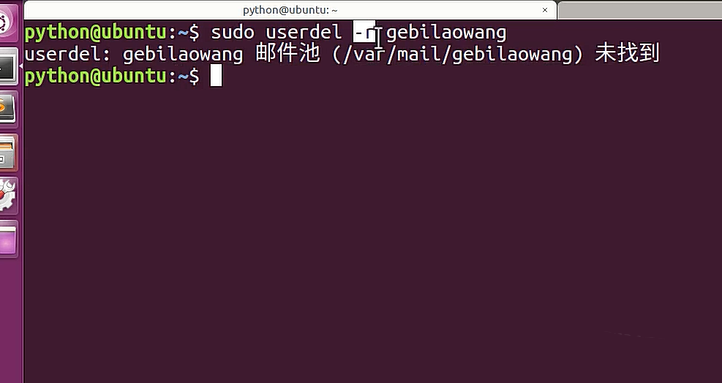
userdel command,pay attention to the use of the parameter r.
The above is the detailed content of Tutorial: How to delete a normal user account in Ubuntu system?. For more information, please follow other related articles on the PHP Chinese website!



























![[Web front-end] Node.js quick start](https://img.php.cn/upload/course/000/000/067/662b5d34ba7c0227.png)



