


How to use Hyperf framework for third-party login


How to use the Hyperf framework for third-party login
Introduction:
With the development of the Internet, third-party login has become a standard for many websites and applications. Equipped with functions. Through third-party login, users can use their existing account information on the third-party platform to log in to other websites or applications, avoiding the cumbersome registration process and greatly improving the user experience. This article will introduce how to use the Hyperf framework to implement third-party login functionality, with specific code examples.
1. Preparation work
Before we start to implement third-party login, we need to prepare some necessary work:
- On websites or applications that require third-party login Register and apply for the corresponding developer account, such as QQ Internet, WeChat Open Platform, etc. Obtain necessary information such as the corresponding AppID, AppSecret.
- Install the Hyperf framework and create a new project.
2. Install dependency packages
Execute the following command in the project root directory to install the third-party login extension package provided by the Hyperf community.
composer require hyperf/socialite
3. Add configuration information
Add the socialite.php configuration file in the config/autoload/ directory of the Hyperf project root directory, and add the following content :
<?php

return [
    'default' => [
        'wechat' => [
            'client_id' => env('WECHAT_CLIENT_ID', ''),
            'client_secret' => env('WECHAT_CLIENT_SECRET', ''),
            'redirect' => env('WECHAT_REDIRECT', ''),
        ],
        'qq' => [
            'client_id' => env('QQ_CLIENT_ID', ''),
            'client_secret' => env('QQ_CLIENT_SECRET', ''),
            'redirect' => env('QQ_REDIRECT', ''),
        ],
        // 更多第三方平台的配置信息...
    ],
];WECHAT_CLIENT_ID, WECHAT_CLIENT_SECRET, WECHAT_REDIRECT, QQ_CLIENT_ID, QQ_CLIENT_SECRET# in the above configuration file Fields such as ##, QQ_REDIRECT need to be replaced with the information applied by the developer on the corresponding platform.
Create a controller in the Hyperf project, such as
LoginController, and add the following method:
<?php

declare(strict_types=1);

namespace AppController;

use HyperfHttpServerAnnotationController;
use HyperfHttpServerAnnotationRequestMapping;
use PsrHttpMessageResponseInterface;

/**
 * @Controller
 */
class LoginController
{
    /**
     * @RequestMapping(path="/login/{platform}", methods="GET")
     */
    public function redirectToThirdParty(string $platform): ResponseInterface
    {
        return context()
            ->getContainer()
            ->get(HyperfSocialiteSocialiteManager::class)
            ->driver($platform)
            ->redirect();
    }

    /**
     * @RequestMapping(path="/login/{platform}/callback", methods="GET")
     */
    public function handleThirdPartyCallback(string $platform): ResponseInterface
    {
        $user = context()
            ->getContainer()
            ->get(HyperfSocialiteSocialiteManager::class)
            ->driver($platform)
            ->user();

        // 在此处处理用户登录逻辑,例如创建用户、更新用户信息等

        return $this->generateResponse();
    }

    private function generateResponse(): ResponseInterface
    {
        // 生成登录成功后的响应

        return $response;
    }
}Add a third-party login entrance to the page, for example:
<a href="/login/wechat">使用微信登录</a>
<a href="/login/qq">使用QQ登录</a>
When the user completes login authorization on the third-party platform, it will jump back to our application and call the callback method
handleThirdPartyCallback. In this method, we can obtain the user's basic information on the third-party platform through the user() method, such as avatar, nickname, etc. Here, we can determine whether the user has registered in our application based on the information returned by the third-party platform. If not, the user's automatic registration can be completed here.
After successful login, we can generate the user's login status and return a response to the user according to business needs, such as generating JWT Token, setting Cookie, etc.
By using the Hyperf framework and the
hyperf/socialite extension package provided by the community, we can quickly implement the third-party login function. In this article, we implement the function of user login through WeChat and QQ by introducing dependency packages, adding configuration information, creating controllers and other steps. Of course, in actual projects, we can also add more third-party login methods according to needs, such as Weibo, GitHub, etc. I hope this article can provide you with some reference for implementing third-party login function in Hyperf.
The above is the detailed content of How to use Hyperf framework for third-party login. For more information, please follow other related articles on the PHP Chinese website!

Hot AI Tools

Undresser.AI Undress
AI-powered app for creating realistic nude photos

AI Clothes Remover
Online AI tool for removing clothes from photos.

Undress AI Tool
Undress images for free

Clothoff.io
AI clothes remover

AI Hentai Generator
Generate AI Hentai for free.

Hot Article
Hot Tools

Notepad++7.3.1
Easy-to-use and free code editor

SublimeText3 Chinese version
Chinese version, very easy to use

Zend Studio 13.0.1
Powerful PHP integrated development environment

Dreamweaver CS6
Visual web development tools

SublimeText3 Mac version
God-level code editing software (SublimeText3)
Hot Topics
 1381
1381
 52
52

 How to use magnet links
Feb 18, 2024 am 10:02 AM
How to use magnet links
Feb 18, 2024 am 10:02 AM
Magnet link is a link method for downloading resources, which is more convenient and efficient than traditional download methods. Magnet links allow you to download resources in a peer-to-peer manner without relying on an intermediary server. This article will introduce how to use magnet links and what to pay attention to. 1. What is a magnet link? A magnet link is a download method based on the P2P (Peer-to-Peer) protocol. Through magnet links, users can directly connect to the publisher of the resource to complete resource sharing and downloading. Compared with traditional downloading methods, magnetic
 How to use mdf and mds files
Feb 19, 2024 pm 05:36 PM
How to use mdf and mds files
Feb 19, 2024 pm 05:36 PM
How to use mdf files and mds files With the continuous advancement of computer technology, we can store and share data in a variety of ways. In the field of digital media, we often encounter some special file formats. In this article, we will discuss a common file format - mdf and mds files, and introduce how to use them. First, we need to understand the meaning of mdf files and mds files. mdf is the extension of the CD/DVD image file, and the mds file is the metadata file of the mdf file.
 What software is crystaldiskmark? -How to use crystaldiskmark?
Mar 18, 2024 pm 02:58 PM
What software is crystaldiskmark? -How to use crystaldiskmark?
Mar 18, 2024 pm 02:58 PM
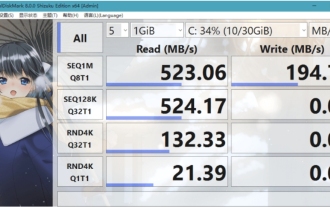
CrystalDiskMark is a small HDD benchmark tool for hard drives that quickly measures sequential and random read/write speeds. Next, let the editor introduce CrystalDiskMark to you and how to use crystaldiskmark~ 1. Introduction to CrystalDiskMark CrystalDiskMark is a widely used disk performance testing tool used to evaluate the read and write speed and performance of mechanical hard drives and solid-state drives (SSD). Random I/O performance. It is a free Windows application and provides a user-friendly interface and various test modes to evaluate different aspects of hard drive performance and is widely used in hardware reviews
 How to download foobar2000? -How to use foobar2000
Mar 18, 2024 am 10:58 AM
How to download foobar2000? -How to use foobar2000
Mar 18, 2024 am 10:58 AM
foobar2000 is a software that can listen to music resources at any time. It brings you all kinds of music with lossless sound quality. The enhanced version of the music player allows you to get a more comprehensive and comfortable music experience. Its design concept is to play the advanced audio on the computer The device is transplanted to mobile phones to provide a more convenient and efficient music playback experience. The interface design is simple, clear and easy to use. It adopts a minimalist design style without too many decorations and cumbersome operations to get started quickly. It also supports a variety of skins and Theme, personalize settings according to your own preferences, and create an exclusive music player that supports the playback of multiple audio formats. It also supports the audio gain function to adjust the volume according to your own hearing conditions to avoid hearing damage caused by excessive volume. Next, let me help you
 How to use NetEase Mailbox Master
Mar 27, 2024 pm 05:32 PM
How to use NetEase Mailbox Master
Mar 27, 2024 pm 05:32 PM
NetEase Mailbox, as an email address widely used by Chinese netizens, has always won the trust of users with its stable and efficient services. NetEase Mailbox Master is an email software specially created for mobile phone users. It greatly simplifies the process of sending and receiving emails and makes our email processing more convenient. So how to use NetEase Mailbox Master, and what specific functions it has. Below, the editor of this site will give you a detailed introduction, hoping to help you! First, you can search and download the NetEase Mailbox Master app in the mobile app store. Search for "NetEase Mailbox Master" in App Store or Baidu Mobile Assistant, and then follow the prompts to install it. After the download and installation is completed, we open the NetEase email account and log in. The login interface is as shown below
 How to use Baidu Netdisk app
Mar 27, 2024 pm 06:46 PM
How to use Baidu Netdisk app
Mar 27, 2024 pm 06:46 PM
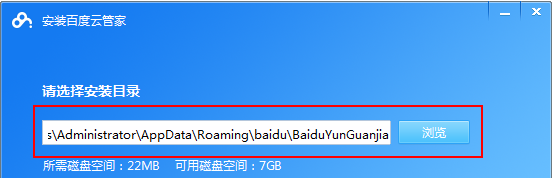
Cloud storage has become an indispensable part of our daily life and work nowadays. As one of the leading cloud storage services in China, Baidu Netdisk has won the favor of a large number of users with its powerful storage functions, efficient transmission speed and convenient operation experience. And whether you want to back up important files, share information, watch videos online, or listen to music, Baidu Cloud Disk can meet your needs. However, many users may not understand the specific use method of Baidu Netdisk app, so this tutorial will introduce in detail how to use Baidu Netdisk app. Users who are still confused can follow this article to learn more. ! How to use Baidu Cloud Network Disk: 1. Installation First, when downloading and installing Baidu Cloud software, please select the custom installation option.
 BTCC tutorial: How to bind and use MetaMask wallet on BTCC exchange?
Apr 26, 2024 am 09:40 AM
BTCC tutorial: How to bind and use MetaMask wallet on BTCC exchange?
Apr 26, 2024 am 09:40 AM
MetaMask (also called Little Fox Wallet in Chinese) is a free and well-received encryption wallet software. Currently, BTCC supports binding to the MetaMask wallet. After binding, you can use the MetaMask wallet to quickly log in, store value, buy coins, etc., and you can also get 20 USDT trial bonus for the first time binding. In the BTCCMetaMask wallet tutorial, we will introduce in detail how to register and use MetaMask, and how to bind and use the Little Fox wallet in BTCC. What is MetaMask wallet? With over 30 million users, MetaMask Little Fox Wallet is one of the most popular cryptocurrency wallets today. It is free to use and can be installed on the network as an extension
 How to use Xiaoai Speaker How to connect Xiaoai Speaker to mobile phone
Feb 22, 2024 pm 05:19 PM
How to use Xiaoai Speaker How to connect Xiaoai Speaker to mobile phone
Feb 22, 2024 pm 05:19 PM
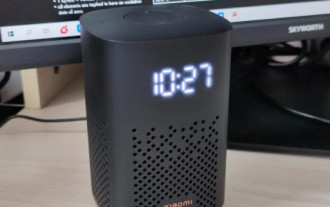
After long pressing the play button of the speaker, connect to wifi in the software and you can use it. Tutorial Applicable Model: Xiaomi 12 System: EMUI11.0 Version: Xiaoai Classmate 2.4.21 Analysis 1 First find the play button of the speaker, and press and hold to enter the network distribution mode. 2 Log in to your Xiaomi account in the Xiaoai Speaker software on your phone and click to add a new Xiaoai Speaker. 3. After entering the name and password of the wifi, you can call Xiao Ai to use it. Supplement: What functions does Xiaoai Speaker have? 1 Xiaoai Speaker has system functions, social functions, entertainment functions, knowledge functions, life functions, smart home, and training plans. Summary/Notes: The Xiao Ai App must be installed on your mobile phone in advance for easy connection and use.
