


How to install a dedicated DVD player in win10 system

The following editor will introduce you to the installation method of the special DVD player for win10 system.
1. Open this computer, switch to C: SystemDisk, right-click [New] → [Folder], name it [tmp], and then create a new folder [tmp2].

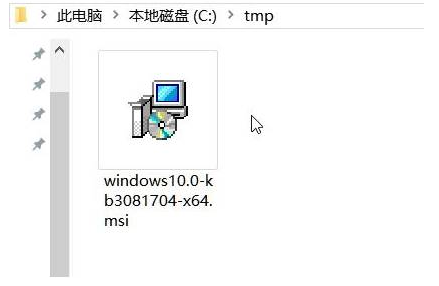
2. Unzip the corresponding installation package downloaded before, and then copy the .msi to the "C:/tmp" folder;
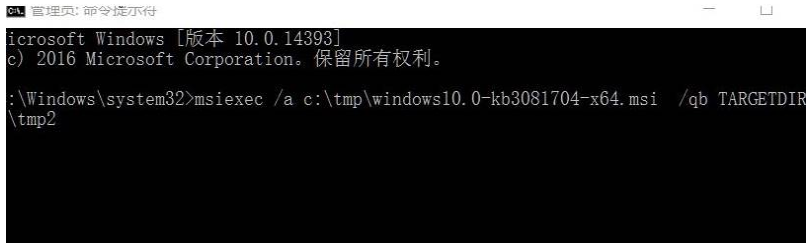
3. Right-click on the start menu, select "(Administrator)", and then enter:
msiexec/ac:/tmp/windows10.0-kb3081704-x64.msi/ qbTARGETDIR=c:/tmp2(64-bit)
msiexec/ac:/tmp/windows10.0-kb3081704-x86.msi/qbTARGETDIR=c:/tmp2(32-bit)
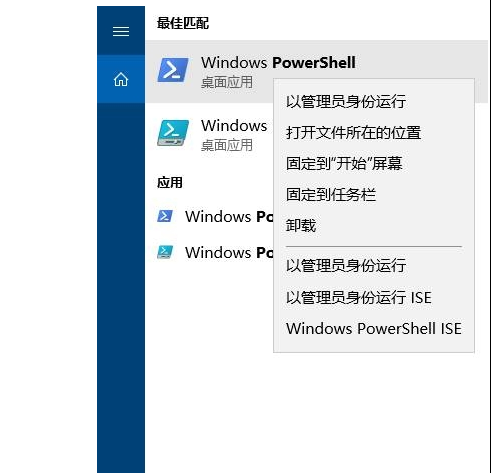
4. Click the search button, enter: powershell, right-click WindowsPowerShell in the search results, and select [Run as administrator].
5. Then copy the following code in it and press Enter:
Add-AppxProvisionedPackage-Online-PackagePath.
c:/tmp2/InstallDVDAppxPackage/cd0c0ffe0e945833e70b1e9fcff.appxbundle-LicensePath.
c:/tmp2/InstallDVDAppxPackage/cd0c0ffe0e945833e70b1e91fcff_License1.xml.
6. After completing the command, open the start menu and you will see [WindowsDVDPlayer].
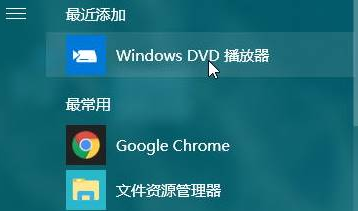
These are the installation methods of DVD player for win10 system, do you know?
The above is the detailed content of How to install a dedicated DVD player in win10 system. For more information, please follow other related articles on the PHP Chinese website!

Hot AI Tools

Undresser.AI Undress
AI-powered app for creating realistic nude photos

AI Clothes Remover
Online AI tool for removing clothes from photos.

Undress AI Tool
Undress images for free

Clothoff.io
AI clothes remover

AI Hentai Generator
Generate AI Hentai for free.

Hot Article
Hot Tools

Notepad++7.3.1
Easy-to-use and free code editor

SublimeText3 Chinese version
Chinese version, very easy to use

Zend Studio 13.0.1
Powerful PHP integrated development environment

Dreamweaver CS6
Visual web development tools

SublimeText3 Mac version
God-level code editing software (SublimeText3)
Hot Topics
 1386
1386
 52
52