


Many friends who use win7 system must have encountered the problem of network connection error 711. How to solve the problem of network connection error 711 in win7 system? Today, the editor will bring you a solution to the network connection error 711 on Windows 7 computers.
How to solve computer network connection error 711 in win7 system:
1. Open "Computer", find the "C:\Windows\System32\LogFiles" folder, and right-click Select Properties";
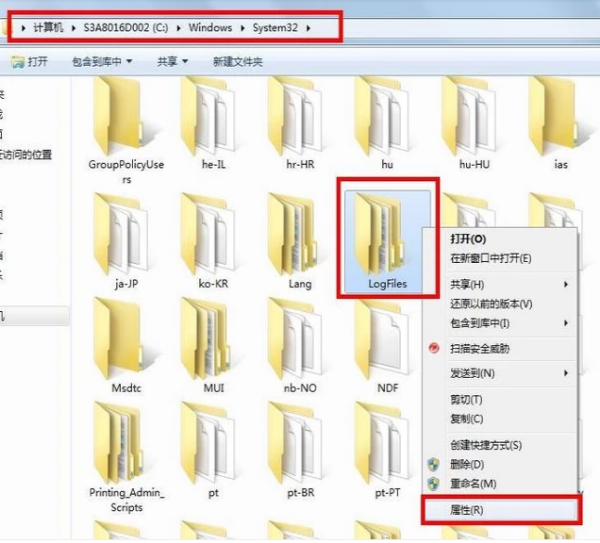
2. Click "Security Options, select Advanced";
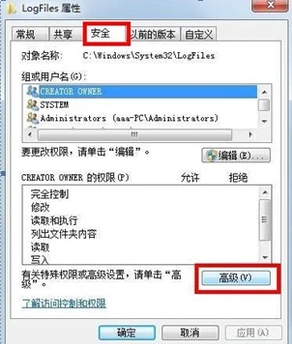
3. Click "All or, select "Edit";
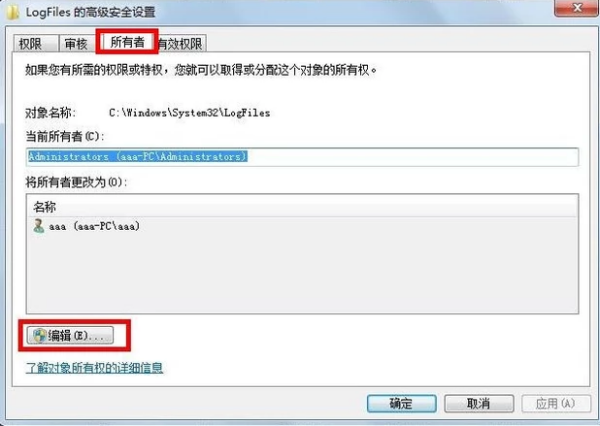
4. Select the account "aaa" currently in use and click OK;
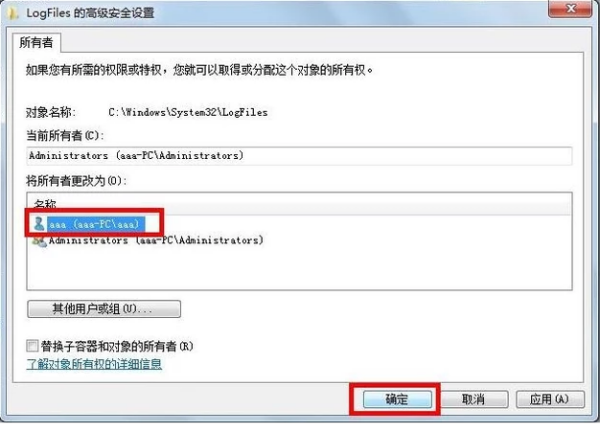
5. Click the pop-up option box to confirm";

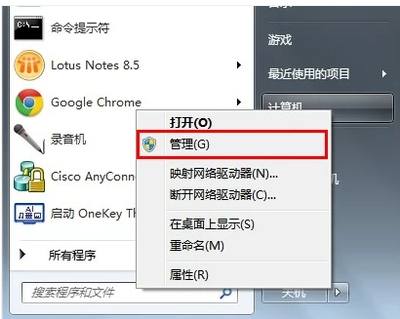
6. Click the "Start menu, click "right-click on the computer and select "Manage" and go to page 7 Step;
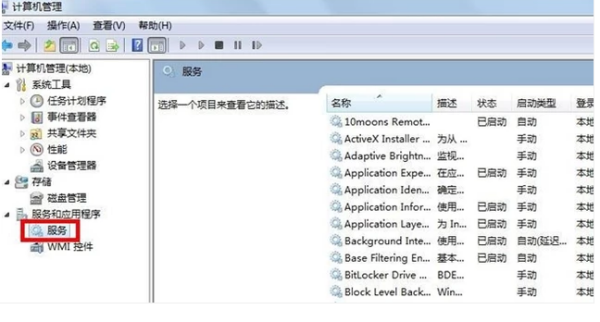
7.selection" service option;
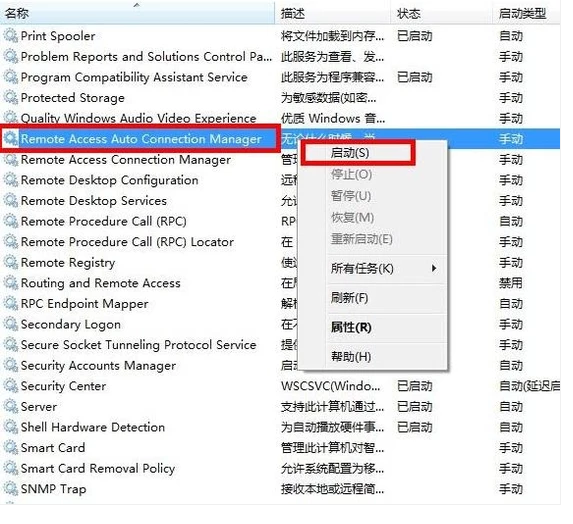
8. Find the service "RemoteAccessAutoConnectionManagerRemote", if it is not open , please right-click and select Start ";
The above is the detailed content of How to solve computer network connection error 711 in win7 system. For more information, please follow other related articles on the PHP Chinese website!
 What are the functions of computer networks
 The most prominent features of computer networks
 Configure java environment variables
 The difference between UCOS and linux
 What does open source code mean?
 Virtual machine software
 Windows 10 activation key list
 The phone cannot connect to the Bluetooth headset





















![[Web front-end] Node.js quick start](https://img.php.cn/upload/course/000/000/067/662b5d34ba7c0227.png)



