


How to cancel the power-on password of win10 system

The setting of the win10 power-on password is to better protect the computer operating system files and personal privacy more quickly. However, some netizens feel that it is unnecessary after setting the win10 power-on password and want to revoke the power-on password again. Below I will tell you how to cancel the win10 power-on password.
How to cancel the power-on password of win10 system:
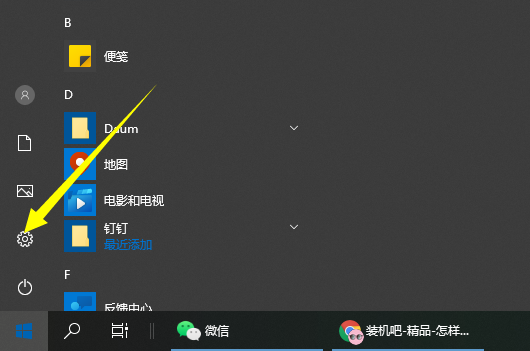
1. Click the lower left button and click "Settings".
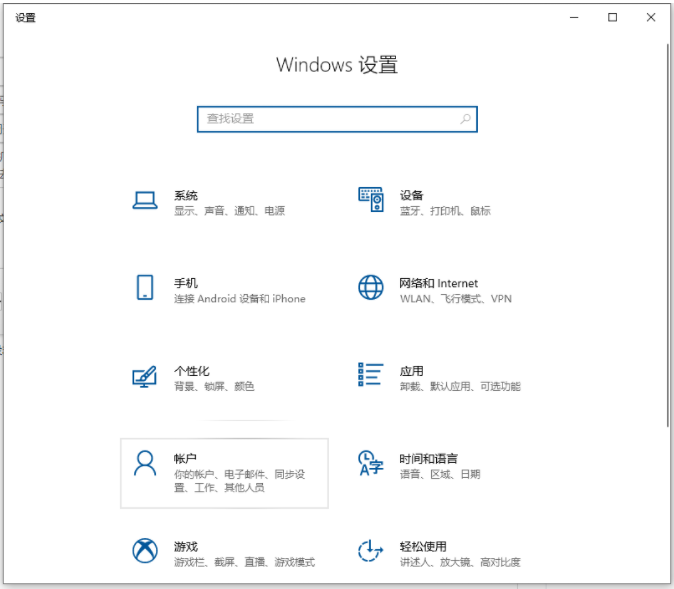
2. Click "Account" in Windows settings.
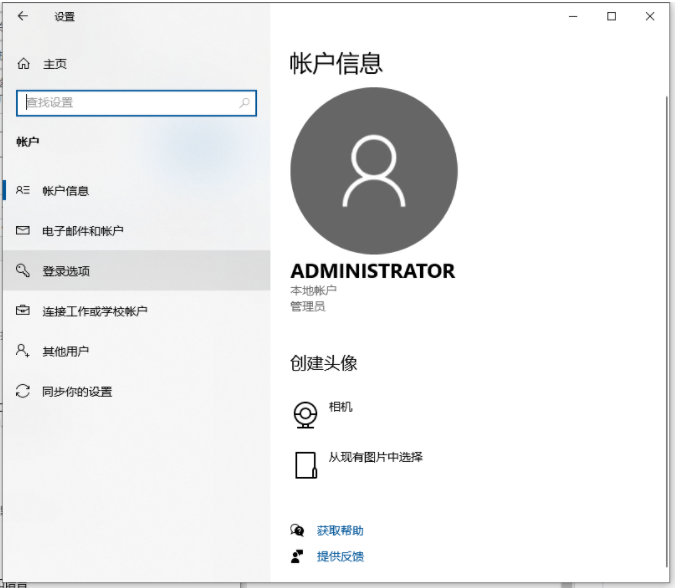
#3. Then click "Login Options" in the taskbar icon on the left.
#4. Scroll down to the right to find "Login Password" and click "Change" below.
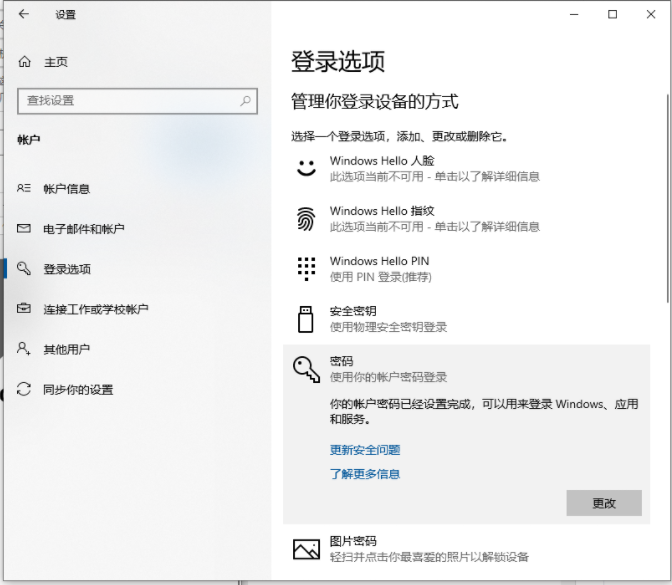
#5. Enter the current login password and click "Next".
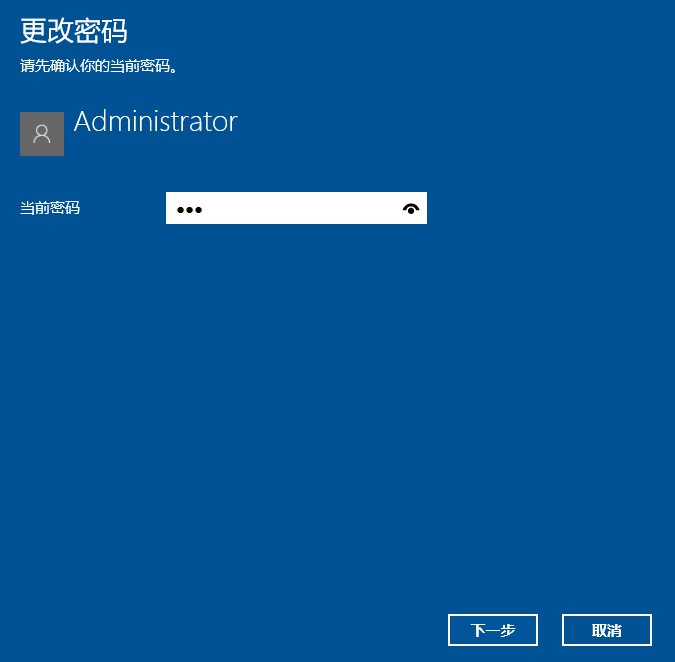
# 6. Just click "Next" without entering the payment password. You don't need to enter the login password the next time you log in.
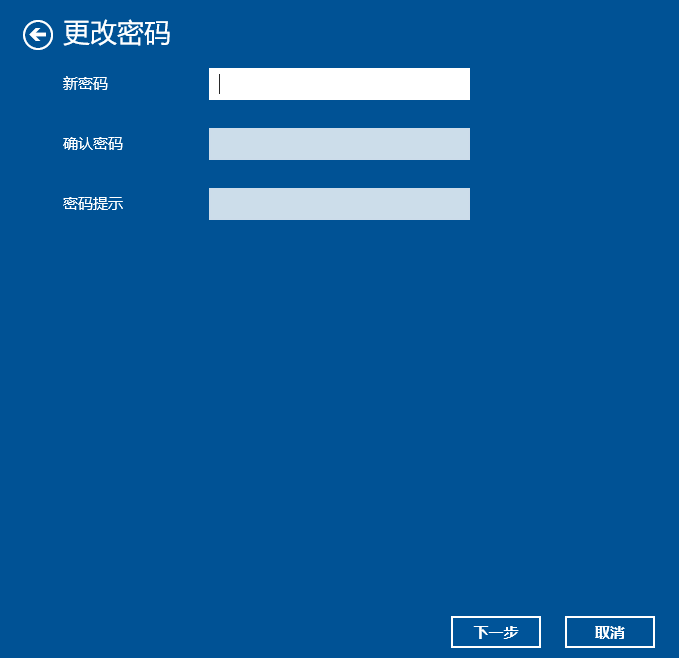
#The above is the method to revoke the win10 boot password, I hope it can help everyone.
The above is the detailed content of How to cancel the power-on password of win10 system. For more information, please follow other related articles on the PHP Chinese website!

Hot AI Tools

Undresser.AI Undress
AI-powered app for creating realistic nude photos

AI Clothes Remover
Online AI tool for removing clothes from photos.

Undress AI Tool
Undress images for free

Clothoff.io
AI clothes remover

AI Hentai Generator
Generate AI Hentai for free.

Hot Article
Hot Tools

Notepad++7.3.1
Easy-to-use and free code editor

SublimeText3 Chinese version
Chinese version, very easy to use

Zend Studio 13.0.1
Powerful PHP integrated development environment

Dreamweaver CS6
Visual web development tools

SublimeText3 Mac version
God-level code editing software (SublimeText3)
Hot Topics
 1378
1378
 52
52