


When using a win10 computer, we often need to use the screenshot function to save screenshots of important information on the computer. However, some netizens said that the screen went black when taking screenshots of their win10 computers. This situation may be caused by enabling DirectDraw acceleration. The following editor will teach you how to solve the problem of black screen when taking screenshots on Windows 10 computer.
The specific operation method is as follows:
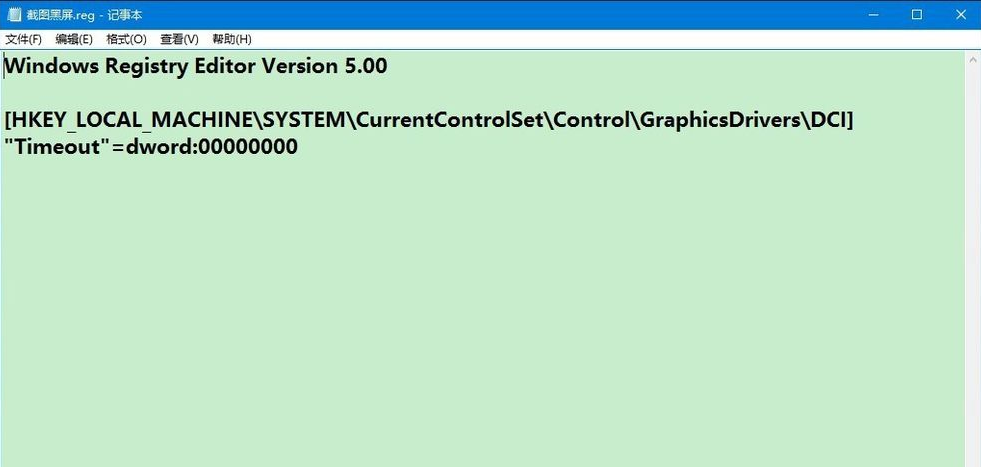
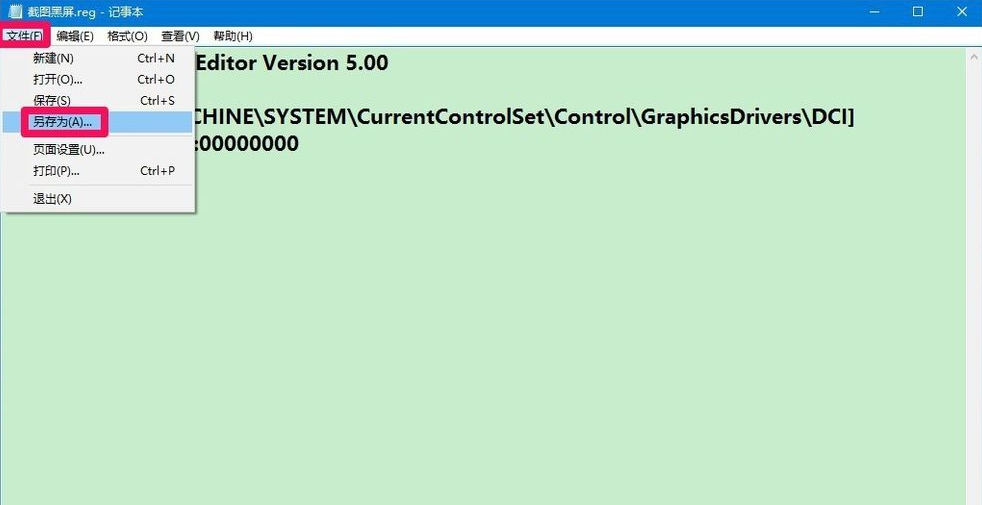
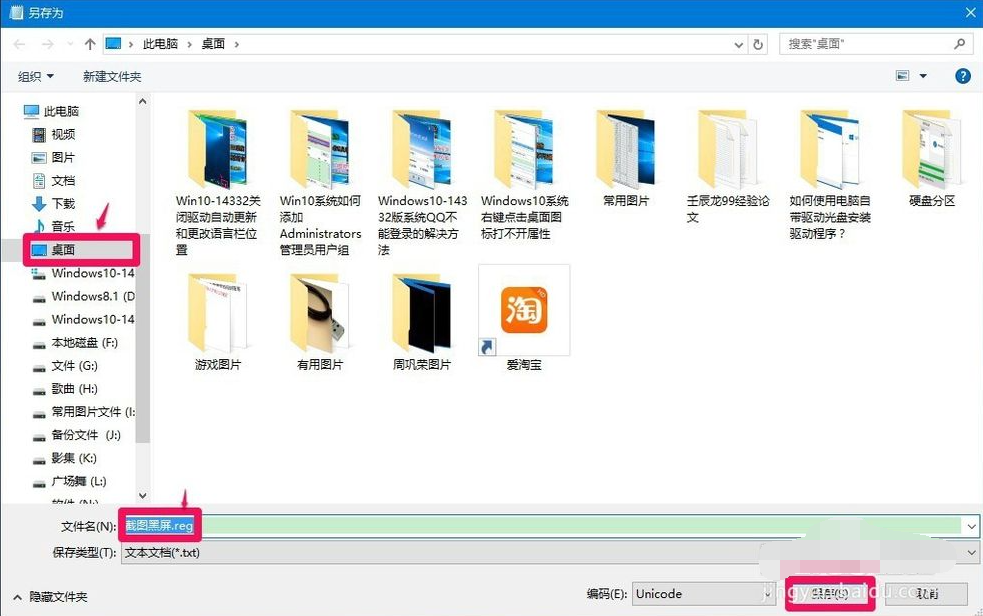
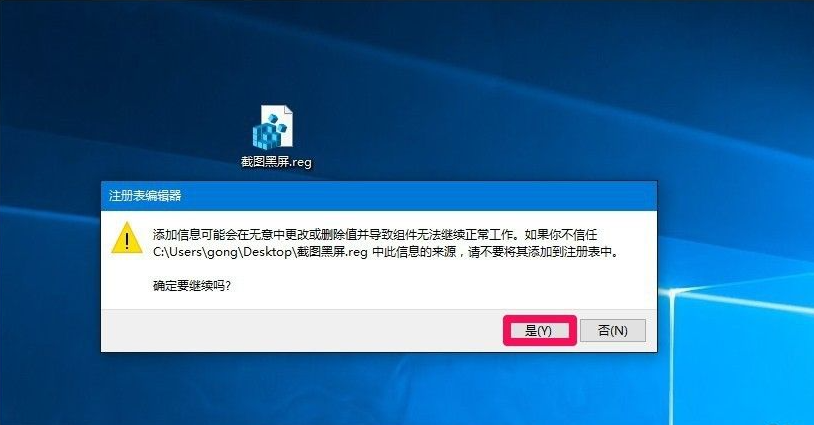
1. Copy the following content into Notepad:
Windows Registry Editor Version 5.00
[HKEY_LOCAL_MACHINE\SYSTEM\CurrentControlSet\Control\GraphicsDrivers\DCI]
"Timeout"=dword:00000000
The above is the detailed content of What's wrong with the black screen when taking screenshots on Windows 10 computer?. For more information, please follow other related articles on the PHP Chinese website!
 Ubuntu startup black screen solution
 How to solve the problem of black screen after turning on the computer and unable to enter the desktop
 How to take screenshots on computer
 What should I do if my computer starts up and the screen shows a black screen with no signal?
 mysql modify data table name
 What are private clouds?
 What does bios mean?
 ntuser.dat deleted recovery method





















![[Web front-end] Node.js quick start](https://img.php.cn/upload/course/000/000/067/662b5d34ba7c0227.png)



