


 Operation and Maintenance
Linux Operation and Maintenance
How to solve the problem that the service cannot be started in the Linux system
Operation and Maintenance
Linux Operation and Maintenance
How to solve the problem that the service cannot be started in the Linux system
How to solve the problem that the service cannot be started in the Linux system

How to solve the problem that the service cannot be started in the Linux system
Introduction:
Linux operating system is famous for its stability, efficiency and security, and is widely used in servers and embedded devices. When using a Linux system, sometimes you encounter the problem that some services cannot start normally, which brings certain troubles to the use and management of the system. This article will introduce some common methods and techniques to solve the problem of service failure to start in Linux systems.
1. Check the service configuration file
In the Linux system, each service has a corresponding configuration file, usually located in the /etc directory. When the service cannot be started, you first need to verify whether the service configuration file is correct. You can use the following command to verify the correctness of the configuration file:
sudo systemctl configtest 服务名
If the command output shows that the configuration file has errors, you need to modify it according to the error prompts. If the configuration file is correct, you can try to solve the problem by reloading the service:
sudo systemctl reload 服务名
2. Check the running environment
Sometimes, the service cannot be started due to the lack of environmental conditions required for operation. For example, a service depends on specific library files or software packages. If these conditions are not met, the service will not work properly. In order to solve this problem, you first need to determine the operating environment conditions required by the service, and then use the following command to verify whether they are met:
sudo systemctl status 服务名
The command output will display the running status of the service and other services it depends on. If a dependency is missing, you can use the following command to install the required software package:
sudo apt-get install 软件包名
3. Check the port occupancy
In a Linux system, services communicate with the outside world through network ports communication. If the port that the service needs to listen to is already occupied by other services, the service will not be able to start. In order to solve this problem, you can use the following command to view the port occupancy in the system:
sudo netstat -tuln
The command output will display all port occupancy in the current system. According to the port information specified in the service configuration file, you can determine whether other services occupy the port and handle it accordingly. You can change the port information by modifying the service configuration file, or stop the service occupying the port.
4. Check the log files
In the Linux system, each service will generate a corresponding log file to record the running status and error information of the service. When the service fails to start, you can learn the specific cause of the problem by viewing the corresponding log file. You can use the following command to view the log file:
sudo tail -f /var/log/服务名.log
By viewing the error information in the log file, you can quickly locate and solve the problem that the service cannot start.
5. Restart the system
If none of the above methods can solve the problem of the service being unable to start, you can try restarting the system. Sometimes, after the system has been running for a period of time, some background processes or services may become abnormal, causing the service to fail to start normally. By restarting the system, you can clear the system memory, reset services and processes, and possibly solve the problem of service failure to start.
Conclusion:
When using a Linux system, the failure to start the service is one of the problems that is often encountered. This article introduces some common solutions and techniques, including checking service configuration files, checking the operating environment, checking port occupancy, viewing log files and restarting the system. Through these methods, the problem of inability to start most services can be solved and the efficiency of system use and management can be improved. At the same time, you also need to pay attention to keeping the system updated and maintained, and install patches and upgrade software in a timely manner to ensure the security and stability of the system.
The above is the detailed content of How to solve the problem that the service cannot be started in the Linux system. For more information, please follow other related articles on the PHP Chinese website!

Hot AI Tools

Undress AI Tool
Undress images for free

Undresser.AI Undress
AI-powered app for creating realistic nude photos

AI Clothes Remover
Online AI tool for removing clothes from photos.

Clothoff.io
AI clothes remover

Video Face Swap
Swap faces in any video effortlessly with our completely free AI face swap tool!

Hot Article
Hot Tools

Notepad++7.3.1
Easy-to-use and free code editor

SublimeText3 Chinese version
Chinese version, very easy to use

Zend Studio 13.0.1
Powerful PHP integrated development environment

Dreamweaver CS6
Visual web development tools

SublimeText3 Mac version
God-level code editing software (SublimeText3)
Hot Topics


 Postman Integrated Application on CentOS
May 19, 2025 pm 08:00 PM
Postman Integrated Application on CentOS
May 19, 2025 pm 08:00 PM
Integrating Postman applications on CentOS can be achieved through a variety of methods. The following are the detailed steps and suggestions: Install Postman by downloading the installation package to download Postman's Linux version installation package: Visit Postman's official website and select the version suitable for Linux to download. Unzip the installation package: Use the following command to unzip the installation package to the specified directory, for example /opt: sudotar-xzfpostman-linux-x64-xx.xx.xx.tar.gz-C/opt Please note that "postman-linux-x64-xx.xx.xx.tar.gz" is replaced by the file name you actually downloaded. Create symbols
 Detailed introduction to each directory of Linux and each directory (reprinted)
May 22, 2025 pm 07:54 PM
Detailed introduction to each directory of Linux and each directory (reprinted)
May 22, 2025 pm 07:54 PM
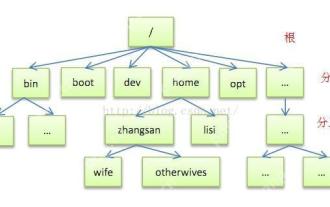
[Common Directory Description] Directory/bin stores binary executable files (ls, cat, mkdir, etc.), and common commands are generally here. /etc stores system management and configuration files/home stores all user files. The root directory of the user's home directory is the basis of the user's home directory. For example, the home directory of the user user is /home/user. You can use ~user to represent /usr to store system applications. The more important directory /usr/local Local system administrator software installation directory (install system-level applications). This is the largest directory, and almost all the applications and files to be used are in this directory. /usr/x11r6 Directory for storing x window/usr/bin Many
 Where is the pycharm interpreter?
May 23, 2025 pm 10:09 PM
Where is the pycharm interpreter?
May 23, 2025 pm 10:09 PM
Setting the location of the interpreter in PyCharm can be achieved through the following steps: 1. Open PyCharm, click the "File" menu, and select "Settings" or "Preferences". 2. Find and click "Project:[Your Project Name]" and select "PythonInterpreter". 3. Click "AddInterpreter", select "SystemInterpreter", browse to the Python installation directory, select the Python executable file, and click "OK". When setting up the interpreter, you need to pay attention to path correctness, version compatibility and the use of the virtual environment to ensure the smooth operation of the project.
 The difference between programming in Java and other languages Analysis of the advantages of cross-platform features of Java
May 20, 2025 pm 08:21 PM
The difference between programming in Java and other languages Analysis of the advantages of cross-platform features of Java
May 20, 2025 pm 08:21 PM
The main difference between Java and other programming languages is its cross-platform feature of "writing at once, running everywhere". 1. The syntax of Java is close to C, but it removes pointer operations that are prone to errors, making it suitable for large enterprise applications. 2. Compared with Python, Java has more advantages in performance and large-scale data processing. The cross-platform advantage of Java stems from the Java virtual machine (JVM), which can run the same bytecode on different platforms, simplifying development and deployment, but be careful to avoid using platform-specific APIs to maintain cross-platformity.
 After installing Nginx, the configuration file path and initial settings
May 16, 2025 pm 10:54 PM
After installing Nginx, the configuration file path and initial settings
May 16, 2025 pm 10:54 PM
Understanding Nginx's configuration file path and initial settings is very important because it is the first step in optimizing and managing a web server. 1) The configuration file path is usually /etc/nginx/nginx.conf. The syntax can be found and tested using the nginx-t command. 2) The initial settings include global settings (such as user, worker_processes) and HTTP settings (such as include, log_format). These settings allow customization and extension according to requirements. Incorrect configuration may lead to performance issues and security vulnerabilities.
 MySQL installation tutorial teach you step by step the detailed steps for installing and configuration of mySQL step by step
May 23, 2025 am 06:09 AM
MySQL installation tutorial teach you step by step the detailed steps for installing and configuration of mySQL step by step
May 23, 2025 am 06:09 AM
The installation and configuration of MySQL can be completed through the following steps: 1. Download the installation package suitable for the operating system from the official website. 2. Run the installer, select the "Developer Default" option and set the root user password. 3. After installation, configure environment variables to ensure that the bin directory of MySQL is in PATH. 4. When creating a user, follow the principle of minimum permissions and set a strong password. 5. Adjust the innodb_buffer_pool_size and max_connections parameters when optimizing performance. 6. Back up the database regularly and optimize query statements to improve performance.
 Experience in participating in VSCode offline technology exchange activities
May 29, 2025 pm 10:00 PM
Experience in participating in VSCode offline technology exchange activities
May 29, 2025 pm 10:00 PM
I have a lot of experience in participating in VSCode offline technology exchange activities, and my main gains include sharing of plug-in development, practical demonstrations and communication with other developers. 1. Sharing of plug-in development: I learned how to use VSCode's plug-in API to improve development efficiency, such as automatic formatting and static analysis plug-ins. 2. Practical demonstration: I learned how to use VSCode for remote development and realized its flexibility and scalability. 3. Communicate with developers: I have obtained skills to optimize VSCode startup speed, such as reducing the number of plug-ins loaded at startup and managing the plug-in loading order. In short, this event has benefited me a lot and I highly recommend those who are interested in VSCode to participate.
 Comparison between Informix and MySQL on Linux
May 29, 2025 pm 11:21 PM
Comparison between Informix and MySQL on Linux
May 29, 2025 pm 11:21 PM
Informix and MySQL are both popular relational database management systems. They perform well in Linux environments and are widely used. The following is a comparison and analysis of the two on the Linux platform: Installing and configuring Informix: Deploying Informix on Linux requires downloading the corresponding installation files, and then completing the installation and configuration process according to the official documentation. MySQL: The installation process of MySQL is relatively simple, and can be easily installed through system package management tools (such as apt or yum), and there are a large number of tutorials and community support on the network for reference. Performance Informix: Informix has excellent performance and
