


How to set a timer on Mac

How to use Siri to set a timer on Mac
- Summon Siri on Mac and say "Set a timer for (time)"
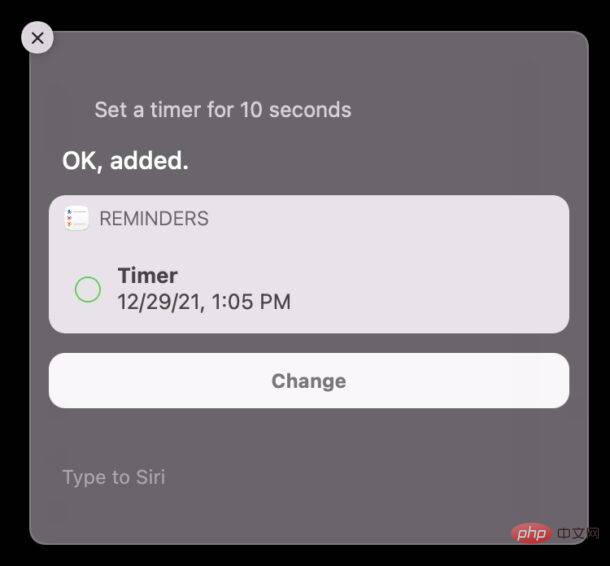
You can measure time in seconds, minutes, hours, or days.
For example, using "Hey Siri, set a timer for five minutes" will tell Siri to set a timer to remind you in five minutes.
If you have Hey Siri enabled on your Mac, you can use voice commands. Otherwise, activate Siri via the menu bar, or launch it directly to issue timer setting commands.
If you're using Type to Siri on your Mac, you can simply launch Siri and type "Set timer for (time)" and it will do the same thing.
If you've used the Clock app or Siri to set timers on your iPhone or iPad before, you may find this feature familiar to you. Likewise, if you use HomePod to set timers, you'll be familiar with the Siri method.
One interesting component of using Siri on the Mac to set a timer is that it uses the Reminders app on the Mac to set the timer, and the timer doesn't visually count down like it does on the iPhone or iPad.
Additionally, because Mac timers set by Siri are using the Reminders app, if you have Do Not Disturb or Focus mode enabled, you may miss the alert indicating that the timer has expired. If you regularly use the Do Not Disturb feature on your Mac (or leave it on like me) to focus, and you plan on using a timer on your Mac as a Pomodoro or timer or something like that, then this is worth paying attention to Management Tips (For what it's worth, if you want to use a timer for Pomodoro or task management on your Mac, the Be Focused app is free on the Mac App Store and can do the job from the menu bar).
So here’s the easiest way to set a timer on your Mac, thanks to good old Siri. Perhaps in the future, Macs will include a Clock app like the iPad and iPhone, with more timers, stopwatches, and other types of functionality, or extend those features into the Mac Clock widget - shown in this article of the top - this works too.
BTW, sometimes you have to insist on letting Siri figure this out and set a timer on your Mac. In classic Siri fashion, it sometimes bugs out and seems to forget that the reminder exists or has the feature, but if you try it a few times, it works the second or third time - a very smart virtual assistant indeed .
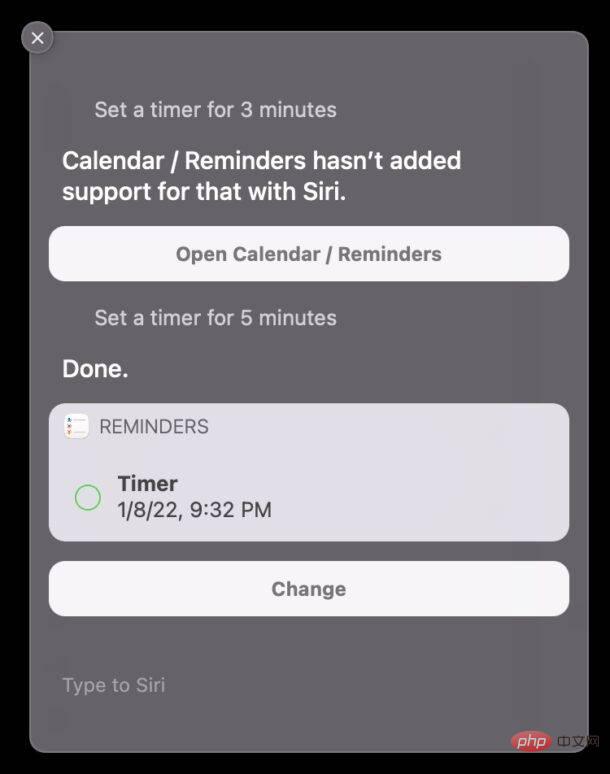
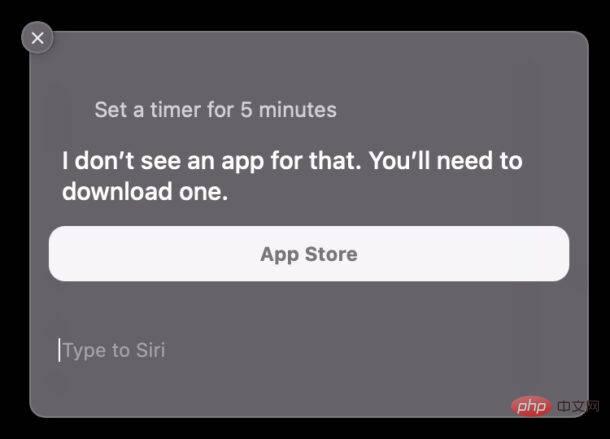
If you still can't set a timer through Siri, try opening the Reminders app first and then asking Siri to set the timer to determine the time.
The above is the detailed content of How to set a timer on Mac. For more information, please follow other related articles on the PHP Chinese website!

Hot AI Tools

Undresser.AI Undress
AI-powered app for creating realistic nude photos

AI Clothes Remover
Online AI tool for removing clothes from photos.

Undress AI Tool
Undress images for free

Clothoff.io
AI clothes remover

AI Hentai Generator
Generate AI Hentai for free.

Hot Article
Hot Tools

Notepad++7.3.1
Easy-to-use and free code editor

SublimeText3 Chinese version
Chinese version, very easy to use

Zend Studio 13.0.1
Powerful PHP integrated development environment

Dreamweaver CS6
Visual web development tools

SublimeText3 Mac version
God-level code editing software (SublimeText3)
Hot Topics
 1378
1378
 52
52