


What is the name of Apple Assistant?

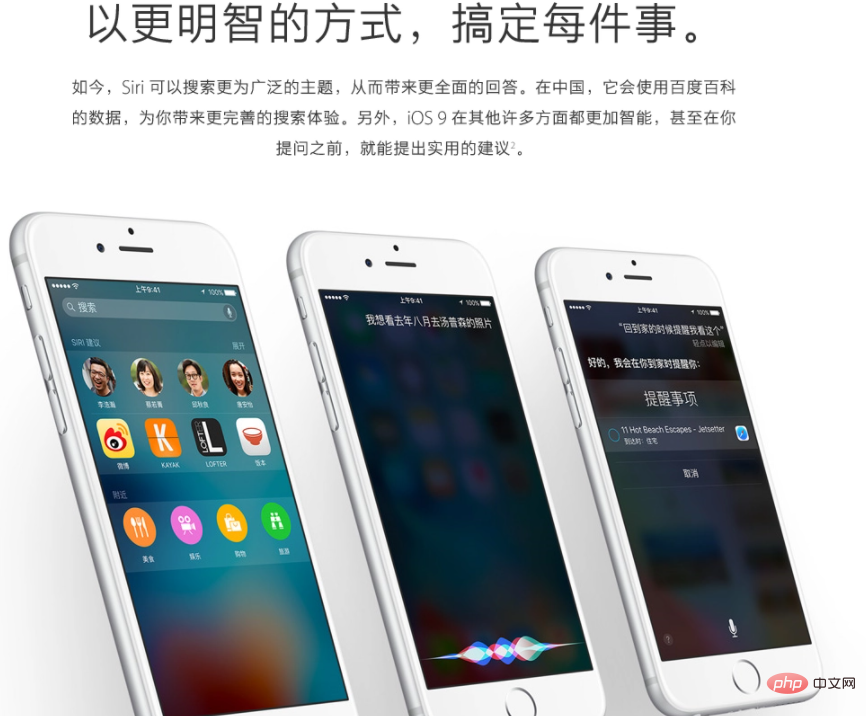
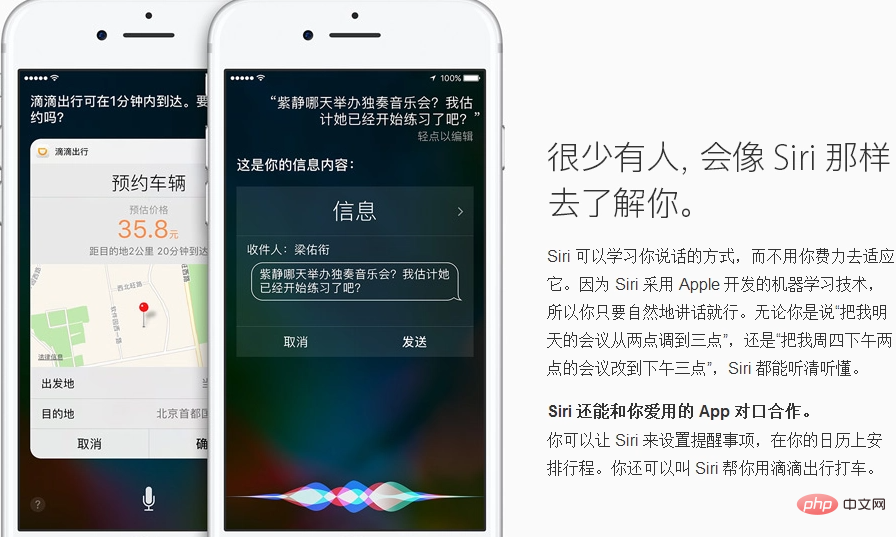
The Apple assistant is called "Siri". It is a voice assistant used by Apple on iPhone, iPad, iPod Touch, HomePod and other products. Using Siri, users can find information, make calls, send information, and obtain information through their mobile phones. Get directions, play music, find Apple devices and more. Siri can support natural language input, and can call the system's own weather forecast, schedule, search information and other applications. It can also continuously learn new voices and intonations and provide conversational responses.

#The operating environment of this tutorial: IOS14 system, iphone12 mobile phone.
Apple Assistant is called "siri", which is Apple's intelligent voice assistant.
Siri is the abbreviation of Speech Interpretation & Recognition Interface. Its original meaning is speech recognition interface. It is a voice assistant used by Apple on iPhone, iPad, iPod Touch, HomePod and other products. It uses Siri users can find information, make calls, send messages, get directions, play music, find Apple devices, and more through their mobile phones.
Siri can support natural language input, and can call the system's own weather forecast, schedule, search information and other applications. It can also continuously learn new voices and intonations and provide conversational responses. Siri can turn iPhone 4S and above mobile phones (iPad 3 and above tablets) into an intelligent robot.
Enter settings to wake up with Hey Siri
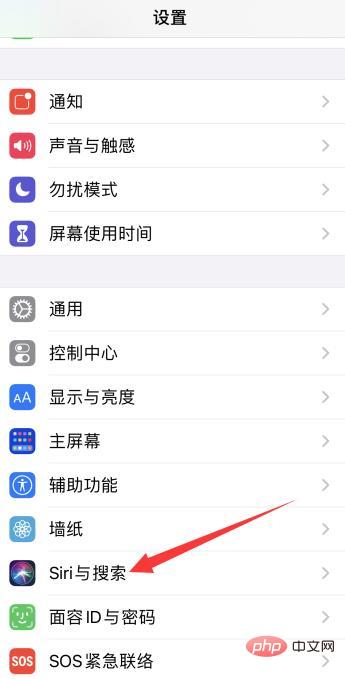
1. Select Settings Siri and Search
Open the phone Settings, click Siri & Search.
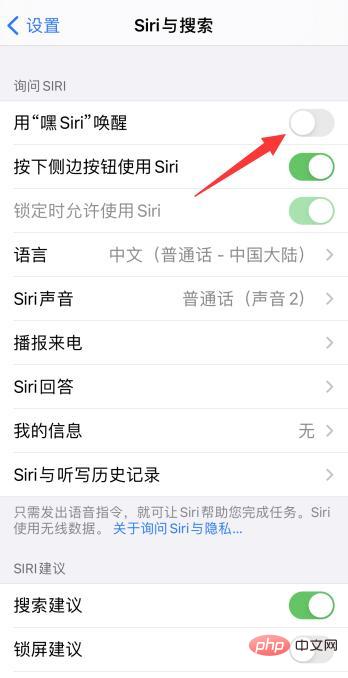
#2. Wake up with Hey Siri
After entering the page, click to wake up with "Hey Siri".
3. Choose to continue and follow the prompts to complete
Click to continue, follow the prompts to identify the sound, and finally click Finish.
Expand knowledge:
##Research background
Siri was founded in 2007 and was acquired by Apple for US$200 million in 2010. It was initially a text chat service. Later, through cooperation with Nuance, the world's largest speech recognition manufacturer, Siri realized the speech recognition function.Technical source
Siri technology comes from the CALO plan announced by the U.S. Department of Defense Advanced Research Projects Agency: a program that allows the military to simplify the processing of some complex tasks and enable learning, A digital assistant with organizational and cognitive capabilities, derived from the consumer version of the software Siri virtual personal assistant.
Function introduction
Users can search for lifestyle information such as restaurants and movie theaters through voice control and text input. You can also directly read relevant reviews, and even directly book seats and tickets; in addition, its location based service capabilities are also quite powerful, and can judge and filter searches based on the user's default home address or location. the result of. But its biggest feature is the human-computer interaction. Not only does it have a very vivid dialogue interface, but its answers to user inquiries are not necessarily wrong, and sometimes they even make people feel... Surprises that resonate with your heart. For example, if the user says or inputs the words "drink a little" or "home" (it doesn't even need to be grammatical, it's quite humane...), Siri will judge that the user is drunk. , want to go home, and automatically suggest whether to help call a taxi.Siri supported languages
As of IOS6.1, Siri supports Chinese (Mandarin - China), Chinese (Cantonese - Hong Kong, China), German (Germany), German (Switzerland), Italian (Italy), Italian (Switzerland), Japanese, French (Canada), French (France), French (Switzerland) English (Australia), English (United States), English (United Kingdom), English (Australia), Spanish (Mexico), Spanish (United States), Spanish (Spain) and Korean. For more related knowledge, please visit theFAQ column!
The above is the detailed content of What is the name of Apple Assistant?. For more information, please follow other related articles on the PHP Chinese website!

Hot AI Tools

Undresser.AI Undress
AI-powered app for creating realistic nude photos

AI Clothes Remover
Online AI tool for removing clothes from photos.

Undress AI Tool
Undress images for free

Clothoff.io
AI clothes remover

AI Hentai Generator
Generate AI Hentai for free.

Hot Article
Hot Tools

Notepad++7.3.1
Easy-to-use and free code editor

SublimeText3 Chinese version
Chinese version, very easy to use

Zend Studio 13.0.1
Powerful PHP integrated development environment

Dreamweaver CS6
Visual web development tools

SublimeText3 Mac version
God-level code editing software (SublimeText3)
Hot Topics
 1385
1385
 52
52

 How to choose between iOS 17.6VS iOS 18? Which one is more suitable for upgrading?
Jul 12, 2024 pm 02:14 PM
How to choose between iOS 17.6VS iOS 18? Which one is more suitable for upgrading?
Jul 12, 2024 pm 02:14 PM
The iOS iteration speed is getting faster and faster. Unknowingly, it has been 25 days since the release of iOS 18beta version. During this period, Apple also provided users with iOS 17.6beta version to choose from. So which version is more suitable for upgrading? In other words, how do users correctly choose the version upgrade that suits them? Let’s find out: iOS 18 beta version iOS 18 is Apple’s most powerful AI system to be released soon. Its performance and computing power are undoubtedly powerful, whether it is the “complete version” equipped with GPT or the domestic “reduced version” , will improve the performance of Apple mobile phones. Is iOS 18 worth upgrading for all users? Let’s take a look at the actual test: iOS 18beta: test model iPho
 How to turn off your iPhone using Siri
Mar 04, 2024 am 10:49 AM
How to turn off your iPhone using Siri
Mar 04, 2024 am 10:49 AM
Apple offers the ability to turn off your iPhone using Siri's voice commands. This allows users to restart their phone by simply speaking the specified command without having to manually hold down the volume up and side buttons on the phone each time. In this article, we will explain how to turn off iPhone using Siri. Requirements There are some requirements you need to meet to use this voice command with Siri. You can find them below. iPhones running iOS 16.4 or later: The ability to use the "Shut Down" voice command is only available on iPhones running iOS 16.4 or later. Siri Enabled: You need to have Siri enabled on your device to use this command to turn off your iPhone.
 What is the difference between the Apple Education Premium Edition and the regular edition?
Oct 19, 2022 am 09:17 AM
What is the difference between the Apple Education Premium Edition and the regular edition?
Oct 19, 2022 am 09:17 AM
Differences: 1. The education discount is cheaper than the price listed on the official website (regular version). 2. The ordering speed of the official website of the education discount will be slower than that of the regular version. The regular version is usually shipped in 1-3 working days when it is in stock. The education discount version is faster in a few days. If it is before the start of school During the peak period when a large number of students purchase, the queue may last for weeks. 3. The educational discount is applicable to quasi-college students, college students, and faculty members (including faculty and staff of universities, middle schools, primary schools, and special education schools); while the general version is applicable to a wider range of people.
 iOS 18.1 released_iOS 18.1 equipped with AI functions and call recording
Jul 30, 2024 pm 02:19 PM
iOS 18.1 released_iOS 18.1 equipped with AI functions and call recording
Jul 30, 2024 pm 02:19 PM
Apple pushed the iOS 18.1 Beta update (version number: 22B5007p) to iPhone users today. This update is only available to iPhone 15 Pro/Max users! So far, many features of Apple Intelligence have been launched, including: Writing Tools 1. Proofread text for spelling and grammatical errors, including word choice and sentence structure. Users can click to accept all suggestions, or browse them one by one and ask for an explanation. 2. Rewrite the current content without changing the original meaning. Users can choose from friendly, professional, and concise writing styles. 3. Select text and summarize it. Users can choose to create paragraphs,
 How to change the six-digit passcode of iPhone 15 to four?
Apr 19, 2024 pm 12:58 PM
How to change the six-digit passcode of iPhone 15 to four?
Apr 19, 2024 pm 12:58 PM
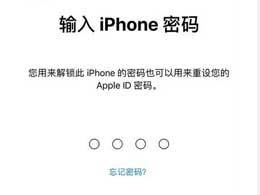
In order to use mobile phones more safely, we all set a lock screen password for our devices. "Apple's iPhone 15 mobile phone can be set with a six-digit lock screen password or a four-digit lock screen password. The six-digit password can provide safer protection for user data, but for some users, the four-digit password is more convenient and difficult to use. More secure. "How to change the six-digit passcode to four-digit number on iPhone 15? The following is how to change the six-digit password of the iPhone 15 to the four-digit password: 1. Open "Settings" - "Touch ID & Password"; 2. Enter the current six-digit password to enter the password setting interface; 3. Click "Change Password" ", select "4-digit password"; 4. Enter the current six-digit password again for verification; 5. In the new
 How to turn off automatic connection to public network WiFi on iPhone?
Apr 19, 2024 pm 03:16 PM
How to turn off automatic connection to public network WiFi on iPhone?
Apr 19, 2024 pm 03:16 PM
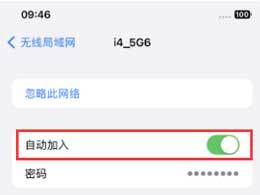
When you go out, your iPhone will always automatically connect to some public networks or WiFi networks provided by operators, which may cause some security risks. If you want to better protect your personal privacy and data security, and improve your network experience, we recommend turning off automatic WiFi connections on public networks. The following is how to turn off the automatic connection of public network WiFi on Apple iPhone: 1. Turn off the automatic connection of public network WiFi 1. Open "Settings" on the iPhone and select "WiFi" at the top of the page. 2. On this page, you can see all the connected WiFi networks and the list of available networks. Click the "Edit" button in the upper right corner to enter the edit mode. In the edit mode, we can edit the network.
 When will iOS 18beta2 be released? What improvements are there in iOS 18beta2?
Jun 20, 2024 pm 12:49 PM
When will iOS 18beta2 be released? What improvements are there in iOS 18beta2?
Jun 20, 2024 pm 12:49 PM
With the release of WWDC24, it has been 9 days since the iOS 18beta version was launched for online experience. I believe that all Apple fans who are experiencing it have encountered some relatively concentrated bugs, such as: new message notification bug, partial deletion of shortcut commands, and the design of the control center. Unreasonable, APP crashes, third-party APP is not suitable, and there are bugs in the interconnection adaptation with Watch, etc... So when will iOS 18beta2 be released? Regarding the release time of iOS 18beta2, we can estimate based on past release habits. It is expected that the iOS 18beta2 version will be released next Tuesday or before the end of this month. What is the performance of iOS 18beta2? Will the bugs in iOS 18beta be fixed?
 iOS 16.5: How to screen record with Siri on iPhone?
Apr 23, 2023 pm 04:28 PM
iOS 16.5: How to screen record with Siri on iPhone?
Apr 23, 2023 pm 04:28 PM
How to filter recordings on iPhone using Siri? Just follow these simple steps to use Siri for screen recording on iPhone: To start recording iPhone screen with Siri, you need to have iOS 16.5 or higher installed on your device. You also need to enable the Screen Recording option in Control Center by going to Settings > Control Center > Customize Controls and tapping the green plus icon next to Screen Recording. Once you're done, you just say "Hey Siri, record my screen" or "Hey Siri, start screen recording" and Siri will start capturing your screen using video and audio. You'll see a red bar at the top of the screen indicating