



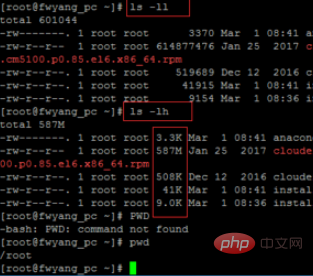
The simplest way to view it is to use the ls -ll, ls-lh command. When using ls -ll, it will be displayed into bytes, while ls-lh will display it in KB, MB, etc., which is more intuitive.
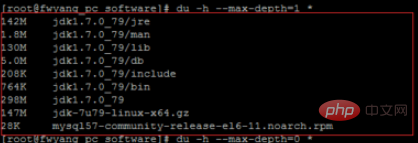
Through the command du -h –max-depth=1 *, you can view the size of each file and folder in the current directory
Free video tutorial sharing: linux video tutorial
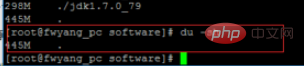
To query the total size of the current directory, you can use du -sh, where s Represents the meaning of statistical summary, that is, only outputs a total size
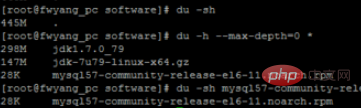
Through the command du -h –max-depth=0 *, you can only display the direct Subdirectory file and folder size statistics

If you only want to view the total size of the specified directory, you can usedu -sh directory name
You can also specify the display level depth for a specified folder, such as du -h --max-depth=0 software/ and du -h - -max-depth=1 software/

Recommended related articles and tutorials: linux tutorial
The above is the detailed content of How to check the size of files and folders in a directory in Linux. For more information, please follow other related articles on the PHP Chinese website!































![[Web front-end] Node.js quick start](https://img.php.cn/upload/course/000/000/067/662b5d34ba7c0227.png)



