


 Operation and Maintenance
Linux Operation and Maintenance
What software is available for linux?
Operation and Maintenance
Linux Operation and Maintenance
What software is available for linux?
What software is available for linux?

What software is available for linux?
Summary of commonly used software on Linux platform (Ubuntu version)
It has been a while since I switched from Windows to Linux. I reinstalled the system some time ago and upgraded from Ubuntu 13.10 to 14.04. There are still many bugs in Ubuntu 13.10, and direct upgrade seems to have various problems, so I did not choose to upgrade directly, but reinstalled. Installing software, configuring software, etc. are the most annoying. Maybe some things still can’t be fixed after several hours. Linux is for people who love to mess around, because there will always be problems you don't expect. Here I list the software I installed and the problems I encountered during the configuration process (not completely recalled), so that I can reinstall the system next time.
Recommended tutorial: linux tutorial
Some thoughts after struggling for so long:
The online configuration process cannot be copied in full , because different people have different environments, some things may need to be changed.
Learn more about Linux and figure out why you are doing this instead of just copying the methods on the Internet.
Use Google instead of Baidu. There are many foreign experts and forums, and your problem can basically be solved.
There are many great gods in the open source world, and they can always do things that will surprise you. The software that is missing in Linux is not made by the official government, but is made by the open source community.
The links given below are either official websites or download addresses, which are all software I have installed. There is also a list here that is more comprehensive, but it has not been updated in a long time. Start below.
Development tools
Java:
JDK, environment variables need to be configured.
Android Developers, the official website of android development, a must-have for developers.
Eclipse, download the ADT Bundle directly, saving time and trouble, you need to have a java environment first. Solution to the slow update of SDK Manager: Set up a proxy.
IntelliJ IDEA, the free version is basically enough, as follows the paid version, (some words are omitted here). If you have money, please support the genuine version. It is everyone's responsibility to support the genuine version.
Android Studio, based on IDEA, the future trend of Android development, free.
Python (Ubuntu14.04 has pre-installed 2.7 and 3.4):
IPython, a very easy to use python interactive shell, IPython Notebook is very powerful and feels very similar to Mathematica, but it is based on web side.
Eclipse, and then install the PyDev plug-in, it will become a python development environment.
C :
Code::Blocks, open source and free.
Eclipse, then install the CDT plug-in.
Haskell:
The Haskell Platform is mainly used for pandoc, so it is installed. Of course, you can also learn Haskell in the future.
R:
RStudio. I only came into contact with this thing after coming into contact with Markdown. Install the knitr package and use it with Markdown. It is very good and powerful. Of course, as a mathematics student, I think I should also learn R well.
Others:
Mathematica 9, a mathematical software that is good at scientific calculations and has extremely powerful functions. So far, I feel that I have only understood the tip of the iceberg. Charges, (a few words are omitted here). If you have money, please support the genuine version. It is everyone's responsibility to support the genuine version.
Editor
Sublime Text 2, a very elegant editor, is charged but can be tried indefinitely. In addition, there is an open source version of sublime: "lime", written by a Sublime Text enthusiast. The reason for development is that Sublime Text is not open source and has a long update cycle. Programmers are really here to change the world.
God's editor Emacs, I rarely use it, I just admire it.
The editor god Vim, I rarely use it, I just admire it.
The Markdown editor ReText doesn’t feel very easy to use, and the rendering effect is not very good. Just scraping by.
Markdown editor Haroo Pad is good and supports mathematical formulas, but the interface is not very beautiful.
Image processing
Why do I feel that Photoshop GIMP under Linux is not easy to use at all? There is still a certain gap compared with Photoshop.
I rarely use IllustratorInkscape under Linux.
Flowchart software, MS-VisioDia under Linux, I rarely use.
Document processing
wps for linux alpha12, 64-bit users install 32-bit dependency packages: sudo apt-get install ia32-libs. It is strongly recommended to install it. Although it is still an alpha version, it is much easier to use than the built-in LibreOffice. Of course, it is still not comparable to MS-Office. The disadvantage is that it is not very compatible with MS-Office on the Win platform. It is strongly recommended to convert it to other formats (such as pdf) after editing.
texlive2013, Texmaker, I feel is not as easy to use as CTex under Win. See here for configuration and installation details.
The format conversion artifact pandoc, such a powerful thing, is better used in conjunction with Markdown. Written by UC Berkeley philosophy professor John MacFarlane.
Music video player
Kwplayer, the linux client of Kuwo Music Box, is written by LiuLang, an open source enthusiast. The author has something more powerful, which will be discussed later. introduce.
VLC media player, a very powerful video player, I usually use it.
deepin-media-player, made in China, is okay.
deepin-music-player, same as above.
Clementine, music player.
gnome-mplayer, video player.
SMPlayer, video player.
Document Reader
pdf reader Adobe Reader for Unix. The reading effect is good, but I feel that the text rendering effects of other readers are still inferior to Adobe's. After installation, you may be unable to start. This is because of the lack of library files. You can see the error message by starting from the command line.
chm reader ChmSee, essential for reading help documents.
epub reader caliber is not only a reader, it can also manage e-books.
Network Disk Tool
Jinshan Express Linux version, made in China, is easy to use and has large capacity. It is excellent as a synchronization tool. Occasionally, bugs may cause synchronization to be delayed.
Dropbox for Linux, a synchronization tool, is also very good and has a small capacity.
Baidu Netdisk for Linux, when I saw this thing for the first time, I was shocked, this is possible! Written by Liu Lang, an open source enthusiast. Thanks to the author for more than a month of hard work to develop such easy-to-use software for us.
Firefox plug-in:
YouTube video downloader 1-Click Video Downloader, very good and powerful.
Ad blocker Adblock Plus, it seems that youku ads cannot be blocked again.
Science Internet (fangqiang) AutoProxy, used in conjunction with goalt, is a must-have artifact.
Evernote·Evernote Clearly, the reading effect is better.
Evernote·Clipper Evernote Web Clipper, a must-have tool.
The script manager Greasemonkey (zh-CN) can do anything you can't imagine.
Markdown Write emails with Markdown Here. Mom no longer has to worry about the formatting of my emails.
Youdao Translation.
Download tool DownThemAll!.
Chrome plug-in:
Ad blocking Adblock Plus can block youku ads.
Ad blocking Adblock can block youku ads.
Video ad blocking Adkill and Media Download, sometimes it works, sometimes it doesn't.
Markdown Write emails with Markdown Here. Mom no longer has to worry about the formatting of my emails.
Science Internet (fangqiang) Proxy SwitchySharp, used in combination with goal, is a must-have artifact.
Tampermonkey, the script manager, can do anything you can't imagine.
Translate the world - translate the words.
Markdown offline editor Mark Feixiang, a very powerful Markdown editor, is also an offline version, supports mathematical formulas, and supports code highlighting.
Gadgets
System configuration tool Ubuntu Tweak makes it easy to manage the system.
The system configuration tool Unity Tweak Tool facilitates system management.
Classic Menu Indicator ClassicMenu Indicator is really classic and convenient for quickly launching programs on the top menu bar.
Weather forecast Weather Indicator, in the top menu bar.
Quick search Synapse Indicator, convenient and quick search for files and programs, in the top menu bar.
Others
Sogou Input Method for Linux, officially produced. Seeing this, I feel that the spring of Linux is coming, but there are still many bugs.
Virtual machine VirtualBox is a must-have for occasional use of Windows and is also a solution for online banking.
Scientific Internet access (fangqiang)goagent, a must-have artifact.
RSS reader Lifera, okay.
Evernote for LinuxNixNote, open source, is another piece of software that makes you feel like "this is possible".
Evernote for Linuxeverpad, same as above.
3D special effects Compiz, it is so cool and awesome. For configuration details, please refer to the (updated) Ubuntu 14.04 Linux 3D desktop complete tutorial.
Terminal tool Tilda.
Terminal tool Terminator, multi-window terminal.
Bottom toolbar Docky, high imitation of Apple MAC OS X.
PPA Manager Y PPA Manager.
Youdao Dictionary Linux client openyoudao, open source, written by a group of open source enthusiasts. Project hosting address: https://github.com/justzx2011/openyoudao.
Xunlei offline Linux client XLCloudClient, this is also available! A variety of vulnerabilities are exploited. The author's original words: "Thunlei offline has too many vulnerabilities." Open source, please see the project address introduction for details.
Thunlei offline download script xunlei-lixian is also very good.
The above is the detailed content of What software is available for linux?. For more information, please follow other related articles on the PHP Chinese website!

Hot AI Tools

Undress AI Tool
Undress images for free

Undresser.AI Undress
AI-powered app for creating realistic nude photos

AI Clothes Remover
Online AI tool for removing clothes from photos.

Clothoff.io
AI clothes remover

Video Face Swap
Swap faces in any video effortlessly with our completely free AI face swap tool!

Hot Article
Hot Tools

Notepad++7.3.1
Easy-to-use and free code editor

SublimeText3 Chinese version
Chinese version, very easy to use

Zend Studio 13.0.1
Powerful PHP integrated development environment

Dreamweaver CS6
Visual web development tools

SublimeText3 Mac version
God-level code editing software (SublimeText3)
Hot Topics


 Postman Integrated Application on CentOS
May 19, 2025 pm 08:00 PM
Postman Integrated Application on CentOS
May 19, 2025 pm 08:00 PM
Integrating Postman applications on CentOS can be achieved through a variety of methods. The following are the detailed steps and suggestions: Install Postman by downloading the installation package to download Postman's Linux version installation package: Visit Postman's official website and select the version suitable for Linux to download. Unzip the installation package: Use the following command to unzip the installation package to the specified directory, for example /opt: sudotar-xzfpostman-linux-x64-xx.xx.xx.tar.gz-C/opt Please note that "postman-linux-x64-xx.xx.xx.tar.gz" is replaced by the file name you actually downloaded. Create symbols
 Detailed introduction to each directory of Linux and each directory (reprinted)
May 22, 2025 pm 07:54 PM
Detailed introduction to each directory of Linux and each directory (reprinted)
May 22, 2025 pm 07:54 PM
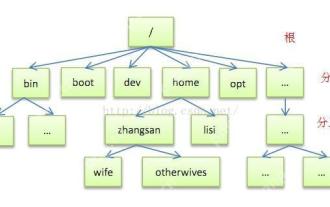
[Common Directory Description] Directory/bin stores binary executable files (ls, cat, mkdir, etc.), and common commands are generally here. /etc stores system management and configuration files/home stores all user files. The root directory of the user's home directory is the basis of the user's home directory. For example, the home directory of the user user is /home/user. You can use ~user to represent /usr to store system applications. The more important directory /usr/local Local system administrator software installation directory (install system-level applications). This is the largest directory, and almost all the applications and files to be used are in this directory. /usr/x11r6 Directory for storing x window/usr/bin Many
 Where is the pycharm interpreter?
May 23, 2025 pm 10:09 PM
Where is the pycharm interpreter?
May 23, 2025 pm 10:09 PM
Setting the location of the interpreter in PyCharm can be achieved through the following steps: 1. Open PyCharm, click the "File" menu, and select "Settings" or "Preferences". 2. Find and click "Project:[Your Project Name]" and select "PythonInterpreter". 3. Click "AddInterpreter", select "SystemInterpreter", browse to the Python installation directory, select the Python executable file, and click "OK". When setting up the interpreter, you need to pay attention to path correctness, version compatibility and the use of the virtual environment to ensure the smooth operation of the project.
 The difference between programming in Java and other languages Analysis of the advantages of cross-platform features of Java
May 20, 2025 pm 08:21 PM
The difference between programming in Java and other languages Analysis of the advantages of cross-platform features of Java
May 20, 2025 pm 08:21 PM
The main difference between Java and other programming languages is its cross-platform feature of "writing at once, running everywhere". 1. The syntax of Java is close to C, but it removes pointer operations that are prone to errors, making it suitable for large enterprise applications. 2. Compared with Python, Java has more advantages in performance and large-scale data processing. The cross-platform advantage of Java stems from the Java virtual machine (JVM), which can run the same bytecode on different platforms, simplifying development and deployment, but be careful to avoid using platform-specific APIs to maintain cross-platformity.
 After installing Nginx, the configuration file path and initial settings
May 16, 2025 pm 10:54 PM
After installing Nginx, the configuration file path and initial settings
May 16, 2025 pm 10:54 PM
Understanding Nginx's configuration file path and initial settings is very important because it is the first step in optimizing and managing a web server. 1) The configuration file path is usually /etc/nginx/nginx.conf. The syntax can be found and tested using the nginx-t command. 2) The initial settings include global settings (such as user, worker_processes) and HTTP settings (such as include, log_format). These settings allow customization and extension according to requirements. Incorrect configuration may lead to performance issues and security vulnerabilities.
 MySQL installation tutorial teach you step by step the detailed steps for installing and configuration of mySQL step by step
May 23, 2025 am 06:09 AM
MySQL installation tutorial teach you step by step the detailed steps for installing and configuration of mySQL step by step
May 23, 2025 am 06:09 AM
The installation and configuration of MySQL can be completed through the following steps: 1. Download the installation package suitable for the operating system from the official website. 2. Run the installer, select the "Developer Default" option and set the root user password. 3. After installation, configure environment variables to ensure that the bin directory of MySQL is in PATH. 4. When creating a user, follow the principle of minimum permissions and set a strong password. 5. Adjust the innodb_buffer_pool_size and max_connections parameters when optimizing performance. 6. Back up the database regularly and optimize query statements to improve performance.
 Experience in participating in VSCode offline technology exchange activities
May 29, 2025 pm 10:00 PM
Experience in participating in VSCode offline technology exchange activities
May 29, 2025 pm 10:00 PM
I have a lot of experience in participating in VSCode offline technology exchange activities, and my main gains include sharing of plug-in development, practical demonstrations and communication with other developers. 1. Sharing of plug-in development: I learned how to use VSCode's plug-in API to improve development efficiency, such as automatic formatting and static analysis plug-ins. 2. Practical demonstration: I learned how to use VSCode for remote development and realized its flexibility and scalability. 3. Communicate with developers: I have obtained skills to optimize VSCode startup speed, such as reducing the number of plug-ins loaded at startup and managing the plug-in loading order. In short, this event has benefited me a lot and I highly recommend those who are interested in VSCode to participate.
 Comparison between Informix and MySQL on Linux
May 29, 2025 pm 11:21 PM
Comparison between Informix and MySQL on Linux
May 29, 2025 pm 11:21 PM
Informix and MySQL are both popular relational database management systems. They perform well in Linux environments and are widely used. The following is a comparison and analysis of the two on the Linux platform: Installing and configuring Informix: Deploying Informix on Linux requires downloading the corresponding installation files, and then completing the installation and configuration process according to the official documentation. MySQL: The installation process of MySQL is relatively simple, and can be easily installed through system package management tools (such as apt or yum), and there are a large number of tutorials and community support on the network for reference. Performance Informix: Informix has excellent performance and
