


Rounding function ROUND:
Function format: ROUND (numeric value or numerical cell, number of digits to be retained)
The usage method is as follows:
Example:
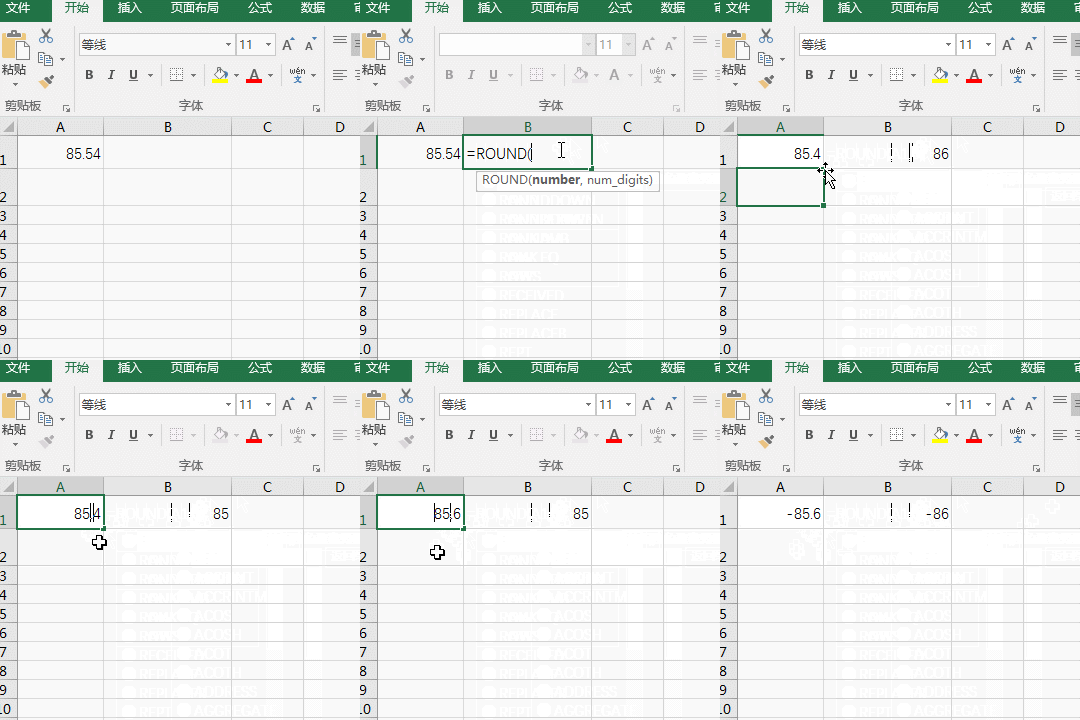
Enter the formula =ROUND(A1,0) in cell B1 and press Enter. 85.54 in cell A1 becomes 86, and the result is rounded; change the value of A1 to 85.4, and then use the formula =ROUND(A1,0), the result is 85, without rounding; then change the value of cell A1 to -85.6, also use the formula =ROUND(A1,0), the result is -86, which is also one step forward; the steps of the operation process are as follows:
Excel Basic Tutorialcolumn!
The above is the detailed content of What is the excel rounding function?. For more information, please follow other related articles on the PHP Chinese website!
 js rounding
 Compare the similarities and differences between two columns of data in excel
 excel duplicate item filter color
 How to copy an Excel table to make it the same size as the original
 Excel table slash divided into two
 Excel diagonal header is divided into two
 Absolute reference input method
 java export excel





















![[Web front-end] Node.js quick start](https://img.php.cn/upload/course/000/000/067/662b5d34ba7c0227.png)



