


Use VUE element-ui to write a reusable Table component

The table component of Ele.me is very powerful and is basically sufficient for various tables in the project, but...I am not used to its column-based operations. So it was changed to another way. This article mainly introduces VUE element-ui to write a sample code for reusing the Table component. It has certain reference value. Interested friends can refer to it. I hope it can help everyone.
There are many tables in the project, so reusability is the most important.
Step 1
Let’s start with a basic table display
tableData of the official example
tableData: [{
 date: '2016-05-02',
 name: '王小虎',
 address: '上海市普陀区金沙江路 1518 弄'
}, {
 date: '2016-05-04',
 name: '王小虎',
 address: '上海市普陀区金沙江路 1517 弄'
}, {
 date: '2016-05-01',
 name: '王小虎',
 address: '上海市普陀区金沙江路 1519 弄'
}, {
 date: '2016-05-03',
 name: '王小虎',
 address: '上海市普陀区金沙江路 1516 弄'
}]table.vue
##
<template>
 <el-table :data="tableData" border>
  <el-table-column prop="date" label="日期"></el-table-column>
  <el-table-column prop="name" label="姓名"></el-table-column>
  <el-table-column prop="address" label="地址"></el-table-column>
 </el-table>
</template>
Step 2
//table.vue
<template>
<el-table :data="tableData" border>
<el-table-column v-for="(item,key) in tableKey"
:key="key"
:prop="item.value"
:label="item.name"></el-table-column>
</el-table>
</template>
<script>
export default{
name: 'table',
data(){
return{
tableData:[...],
tableKey: [{
name: 'date',
value: '日期'
},{
name: '姓名',
value: 'name'
},{
name: '地址',
value: 'address'
}]
}
}
}
</script>Step 3
//sl_table.vue
<template>
<sl-table :tableData="tableData" :tableKey="tableKey"></sl-table>
</template>
<script>
import Table from '@/components/table'
export default{
name: 'sl-table',
data(){
return {
tableData: [...]
tableKey: [{
name: 'date',
value: '日期'
},{
name: '姓名',
value: 'name'
},{
name: '地址',
value: 'address'
}]
}
},
components: {
'sl-table': Table
}
}
</script>##
//table.vue
<template>
<el-table :data="tableData" border>
<el-table-column v-for="(item,key) in tableKey"
:key="key"
:prop="item.value"
:label="item.name"></el-table-column>
</el-table>
</template>
<script>
export default{
name: 'table',
data(){
return{
}
},
props:['tableData','tableKey'],
}
</script>Step 4
You can modify the form of the table according to your needs
Column width
This is relatively simple, you can directly Add an attribute
//sl_table.vue
...
 data(){
  return {
   tableData: [...]
   tableKey: [{
    name: 'date',
    value: '日期',
    width: 80
   },{
    name: '姓名',
    value: 'name',
    width: 80
   },{
    name: '地址',
    value: 'address'
   }]
  }
 },
...table.vue
//table.vue
...
<el-table-column v-for="(item,key) in tableKey"
:key="key"
:prop="item.value"
:label="item.name"
:width="item.width"></el-table-column>
...
Custom template column
If we need to tell the component which is a custom column, so add a property operate
table.vue
<el-table-column v-for="(item,key) in tableKey"
v-if="!item.operate"
:key="key"
:prop="item.value"
:label="item.name"
:width="item.width"></el-table-column>
<!-- 自定义 -->
<el-table-column v-else>
<template scope="scope">
<slot :name="item.value" :$index="scope.$index" :row="scope.row"></slot>
</template>
</el-table-column>
//sl_table.vue
<sl-table :tableData="tableData" :tableKey="tableKey">
<template slot="date" scope="scope">
<span>{{ scope.row.date | DateFilter }}</span>
</template>
</sl-table>
...
data(){
return {
tableData: [...]
tableKey: [{
name: 'date',
value: '日期',
operate: true
},{
name: '姓名',
value: 'name',
operate: false
},{
name: '地址',
value: 'address',
operate: false
}]
}
},
filters: {
DateFilter(){...}
}
...Table expansion row
Similar to width, as long as sl_table.vue passes in an isExpand attribute. Here is an effect that can only expand one row at a time:
//sl_table.vue

<sl-table :tableData="tableData" :tableKey="tableKey" :isExpand="true" :isExpandOnly="true">
 <template slot="expand" scope="scope">
  {{...expand something}}
 </template>
 ...
</sl-table>table.vue
//table.vue
<el-table :data="tableData" border @expand="handleExpand" ref="raw_table">
<el-table-column v-if="isExpand" type="expand">
<template scope="scope">
<slot name="expand" :$index="scope.$index" :row="scope.row"></slot>
</template>
</el-table-column>
</el-table>
...
props: ['tableData','tableKey','isExpand','isExpandOnly'],
methods: {
handleExpand(row,is_expand){
if(this.isExpand && this.isExpandOnly){
this.$refs.raw_table.store.states.expandRows = expanded ? [row] : []
}
}
}Other (sorting, multi-selection) operations are also added similarly. . . No need to go into details.
Related recommendations:
The above is the detailed content of Use VUE element-ui to write a reusable Table component. For more information, please follow other related articles on the PHP Chinese website!

Hot AI Tools

Undresser.AI Undress
AI-powered app for creating realistic nude photos

AI Clothes Remover
Online AI tool for removing clothes from photos.

Undress AI Tool
Undress images for free

Clothoff.io
AI clothes remover

AI Hentai Generator
Generate AI Hentai for free.

Hot Article
Hot Tools

Notepad++7.3.1
Easy-to-use and free code editor

SublimeText3 Chinese version
Chinese version, very easy to use

Zend Studio 13.0.1
Powerful PHP integrated development environment

Dreamweaver CS6
Visual web development tools

SublimeText3 Mac version
God-level code editing software (SublimeText3)
Hot Topics
 1379
1379
 52
52

 How to install the Windows 10 old version component DirectPlay
Dec 28, 2023 pm 03:43 PM
How to install the Windows 10 old version component DirectPlay
Dec 28, 2023 pm 03:43 PM
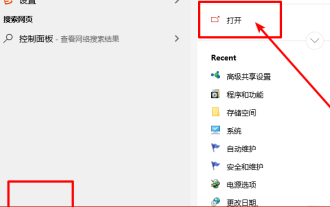
Many users always encounter some problems when playing some games on win10, such as screen freezes and blurred screens. At this time, we can solve the problem by turning on the directplay function, and the operation method of the function is also Very simple. How to install directplay, the old component of win10 1. Enter "Control Panel" in the search box and open it 2. Select large icons as the viewing method 3. Find "Programs and Features" 4. Click on the left to enable or turn off win functions 5. Select the old version here Just check the box
 How to use Vue and Element-UI to implement lazy loading of images
Jul 22, 2023 pm 04:05 PM
How to use Vue and Element-UI to implement lazy loading of images
Jul 22, 2023 pm 04:05 PM
How to use Vue and Element-UI to implement lazy loading of images Lazy loading (Lazyloading) is a technology that delays loading of images, which can effectively increase page loading speed, save bandwidth and improve user experience. In the Vue project, we can use Element-UI and some plug-ins to implement the image lazy loading function. This article will introduce how to use Vue and Element-UI to implement lazy loading of images, and attach corresponding code examples. 1. Install the necessary dependencies before starting
 How to implement calendar component using Vue?
Jun 25, 2023 pm 01:28 PM
How to implement calendar component using Vue?
Jun 25, 2023 pm 01:28 PM
Vue is a very popular front-end framework. It provides many tools and functions, such as componentization, data binding, event handling, etc., which can help developers build efficient, flexible and easy-to-maintain Web applications. In this article, I will introduce how to implement a calendar component using Vue. 1. Requirements analysis First, we need to analyze the requirements of this calendar component. A basic calendar should have the following functions: display the calendar page of the current month; support switching to the previous month or next month; support clicking on a certain day,
 How to implement calendar and date selection functions using Vue and Element-UI
Jul 22, 2023 pm 05:30 PM
How to implement calendar and date selection functions using Vue and Element-UI
Jul 22, 2023 pm 05:30 PM
Introduction to how to use Vue and Element-UI to implement calendar and date selection functions: In front-end development, calendar and date selection functions are one of the very common requirements. Vue and Element-UI are a pair of very powerful development tools. Combining them can easily implement calendar and date selection functions. This article will introduce how to use Vue and Element-UI to create a simple calendar and date selection function, and provide code examples to help readers understand the specific steps and methods of implementation. Preparation: at the beginning
 How to use Vue and Element-UI to implement data filtering and search functions
Jul 21, 2023 pm 08:40 PM
How to use Vue and Element-UI to implement data filtering and search functions
Jul 21, 2023 pm 08:40 PM
How to use Vue and Element-UI to implement data filtering and search functions. In modern web development, data filtering and search functions are very common and important requirements. Vue and Element-UI are currently very popular front-end frameworks. They provide many powerful tools and components that can help us easily implement data filtering and search functions. This article will introduce how to use Vue and Element-UI to implement these functions, and provide detailed code examples. First, we need to prepare a
 How to use Vue and Element-UI to implement drag-and-drop sorting function
Jul 22, 2023 pm 04:12 PM
How to use Vue and Element-UI to implement drag-and-drop sorting function
Jul 22, 2023 pm 04:12 PM
How to use Vue and Element-UI to implement drag-and-drop sorting function Preface: In web development, drag-and-drop sorting function is a common and practical function. This article will introduce how to use Vue and Element-UI to implement the drag-and-drop sorting function, and demonstrate the implementation process through code examples. 1. Environment setup and installation Node.js Before starting, you need to install Node.js. You can visit https://nodejs.org/ to download and install the version corresponding to the operating system. Install VueCL
 Angular components and their display properties: understanding non-block default values
Mar 15, 2024 pm 04:51 PM
Angular components and their display properties: understanding non-block default values
Mar 15, 2024 pm 04:51 PM
The default display behavior for components in the Angular framework is not for block-level elements. This design choice promotes encapsulation of component styles and encourages developers to consciously define how each component is displayed. By explicitly setting the CSS property display, the display of Angular components can be fully controlled to achieve the desired layout and responsiveness.
 How to create a responsive web interface using Vue and Element-UI
Jul 20, 2023 pm 11:01 PM
How to create a responsive web interface using Vue and Element-UI
Jul 20, 2023 pm 11:01 PM
How to create a responsive web interface using Vue and Element-UI In web development, responsive design is an essential technology. Vue.js and Element-UI are two very popular front-end frameworks. They both provide rich tools and components to build modern responsive web interfaces. This article will introduce how to use Vue and Element-UI to create a responsive web interface, and will present the specific implementation process through code examples. First, we need to make sure Vu is installed
