


PHP: A Key Language for Web Development

PHP is a scripting language widely used on the server side, especially suitable for web development. 1. PHP can embed HTML, process HTTP requests and responses, and supports multiple databases. 2. PHP is used to generate dynamic web content, process form data, access databases, etc., with strong community support and open source resources. 3. PHP is an interpreted language, and the execution process includes lexical analysis, grammatical analysis, compilation and execution. 4. PHP can be combined with MySQL for advanced applications such as user registration systems. 5. When debugging PHP, you can use functions such as error_reporting() and var_dump(). 6. Optimize PHP code to use caching mechanisms, optimize database queries and use built-in functions. 7. Best practices include keeping code readable, following PSR standards, and using version control systems.

introduction
Hey guys, today we’ll talk about PHP, this is the big brother in the web development industry. You might ask, what's special about PHP? Why does it still maintain strong vitality among many programming languages? This article will take you into the delectable insight into the charm of PHP, from its basics to advanced applications, from performance optimization to best practices, we'll get it all in one place. After reading this article, you will have a completely new understanding of PHP and be able to use it better in real projects.
Review of PHP Basics
PHP, originally the abbreviation of Personal Home Page, later became PHP: Hypertext Preprocessor, which is a recursive abbreviation, which is such an interesting little episode. PHP is a scripting language widely used on the server side, especially suitable for web development. It can be embedded in HTML, which means you can write PHP code directly in HTML code, which is very convenient.
A core feature of PHP is that it can handle HTTP requests and responses directly, which makes it very efficient when building dynamic web pages. Its grammar is simple and easy to learn, especially for beginners to get started quickly. PHP also supports a variety of databases, such as MySQL, PostgreSQL, etc., which allows it to handle data with ease.
PHP core function analysis
The definition and function of PHP
PHP is designed to generate dynamic web content. It can process form data, generate dynamic page content, send and receive cookies, manage user sessions, access databases, and more. The biggest advantage of PHP is its popularity and community support. You can run PHP on almost any mainstream web server, and there are a large number of open source libraries and frameworks to use, such as Laravel, Symfony, etc.
Let's take a look at a simple PHP example:
 <?php
echo "Hello, World!";
?>
This line of code will output "Hello, World!" to the web page. Simple?
How PHP works
When a PHP script is executed, the server sends the PHP code to the PHP parser. The parser converts the PHP code to HTML and sends the results back to the browser. PHP execution is server-side, which means that the user will not see the PHP code, only the generated HTML.
The execution process of PHP involves lexical analysis, grammatical analysis, compilation and execution. PHP is an interpreted language, which means it does not need to be compiled into a binary file like C, but interprets execution directly. This makes development and debugging more convenient, but may also be slightly inferior to compiled languages in performance.
PHP usage example
Basic usage
Let's look at a more complex example showing how form data is processed:
 <?php
if ($_SERVER["REQUEST_METHOD"] == "POST") {
    $name = $_POST["name"];
    echo "Hello, " . htmlspecialchars($name) . "!";
}
?>

<form method="post" action="<?php echo $_SERVER["PHP_SELF"];?>">
    Name: <input type="text" name="name">
    <input type="submit">
</form> This code snippet shows how to get data from a form and display a welcome message on the page. Pay attention to the use of htmlspecialchars function, which is to prevent XSS attacks.
Advanced Usage
Now, let's look at a more advanced example, using a combination of PHP and MySQL to create a simple user registration system:
<?php
$servername = "localhost";
$username = "username";
$password = "password";
$dbname = "myDB";
// Create a connection $conn = new mysqli($servername, $username, $password, $dbname);
// Check the connection if ($conn->connect_error) {
die("Connection failed: " . $conn->connect_error);
}
if ($_SERVER["REQUEST_METHOD"] == "POST") {
$username = $_POST["username"];
$password = $_POST["password"];
$sql = "INSERT INTO users (username, password) VALUES ('$username', '$password')";
if ($conn->query($sql) === TRUE) {
echo "New record insertion successfully";
} else {
echo "Error: " . $sql . "<br>" . $conn->error;
}
}
$conn->close();
?>
<form method="post" action="<?php echo $_SERVER["PHP_SELF"];?>">
Username: <input type="text" name="username"><br>
Password: <input type="password" name="password"><br>
<input type="submit">
</form>This example shows how to use PHP to interact with a MySQL database to insert new user data. Note that in practical applications, you need to perform stricter verification and processing of the input to prevent SQL injection attacks.
Common Errors and Debugging Tips
Common errors when using PHP include syntax errors, undefined variables, database connection failures, etc. Here are some debugging tips:
- Use
error_reporting(E_ALL);andini_set('display_errors', 1);to display all error messages. - Use
var_dump()function to check the value and type of a variable. - Use
die()orexit()functions to output debugging information at key points in the code.
Performance optimization and best practices
In practical applications, it is very important to optimize PHP code. Here are some optimization suggestions:
- Use caching mechanisms such as Memcached or Redis to reduce the number of database queries.
- Optimize database queries, use indexes and avoid unnecessary JOIN operations.
- Using PHP built-in functions and extensions such as
array_map(),array_filter(), etc., these functions are usually more efficient than handwritten loops.
Let’s take a look at an example of optimization using array_map() :
 <?php
$numbers = [1, 2, 3, 4, 5];

// Unoptimized version $doubleNumbers = [];
foreach ($numbers as $number) {
    $doubleNumbers[] = $number * 2;
}

// Optimized version $doubleNumbers = array_map(function($number) {
    return $number * 2;
}, $numbers);

print_r($doubleNumbers);
?> In this example, using array_map() can achieve the same functionality more concisely and generally perform better.
When writing PHP code, you should also pay attention to the following best practices:
- Keep the code readable and use meaningful variable names and function names.
- Follow PSR encoding standards to ensure code consistency and maintainability.
- Use version control systems such as Git, manage code versions and collaborative development.
Overall, PHP is a powerful and easy-to-use language that is especially suitable for web development. By gaining insight into its basics and advanced applications, you can better utilize its strengths in your project. I hope this article can bring you some inspiration and help, and I wish you a smooth sailing trip on your PHP!
The above is the detailed content of PHP: A Key Language for Web Development. For more information, please follow other related articles on the PHP Chinese website!

Hot AI Tools

Undresser.AI Undress
AI-powered app for creating realistic nude photos

AI Clothes Remover
Online AI tool for removing clothes from photos.

Undress AI Tool
Undress images for free

Clothoff.io
AI clothes remover

AI Hentai Generator
Generate AI Hentai for free.

Hot Article
Hot Tools

Notepad++7.3.1
Easy-to-use and free code editor

SublimeText3 Chinese version
Chinese version, very easy to use

Zend Studio 13.0.1
Powerful PHP integrated development environment

Dreamweaver CS6
Visual web development tools

SublimeText3 Mac version
God-level code editing software (SublimeText3)
Hot Topics
 1386
1386
 52
52

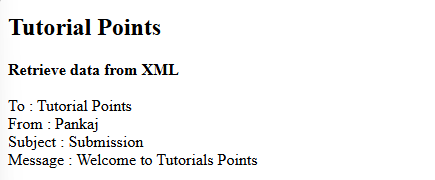 How do you parse and process HTML/XML in PHP?
Feb 07, 2025 am 11:57 AM
How do you parse and process HTML/XML in PHP?
Feb 07, 2025 am 11:57 AM
This tutorial demonstrates how to efficiently process XML documents using PHP. XML (eXtensible Markup Language) is a versatile text-based markup language designed for both human readability and machine parsing. It's commonly used for data storage an
 Explain JSON Web Tokens (JWT) and their use case in PHP APIs.
Apr 05, 2025 am 12:04 AM
Explain JSON Web Tokens (JWT) and their use case in PHP APIs.
Apr 05, 2025 am 12:04 AM
JWT is an open standard based on JSON, used to securely transmit information between parties, mainly for identity authentication and information exchange. 1. JWT consists of three parts: Header, Payload and Signature. 2. The working principle of JWT includes three steps: generating JWT, verifying JWT and parsing Payload. 3. When using JWT for authentication in PHP, JWT can be generated and verified, and user role and permission information can be included in advanced usage. 4. Common errors include signature verification failure, token expiration, and payload oversized. Debugging skills include using debugging tools and logging. 5. Performance optimization and best practices include using appropriate signature algorithms, setting validity periods reasonably,
 PHP Program to Count Vowels in a String
Feb 07, 2025 pm 12:12 PM
PHP Program to Count Vowels in a String
Feb 07, 2025 pm 12:12 PM
A string is a sequence of characters, including letters, numbers, and symbols. This tutorial will learn how to calculate the number of vowels in a given string in PHP using different methods. The vowels in English are a, e, i, o, u, and they can be uppercase or lowercase. What is a vowel? Vowels are alphabetic characters that represent a specific pronunciation. There are five vowels in English, including uppercase and lowercase: a, e, i, o, u Example 1 Input: String = "Tutorialspoint" Output: 6 explain The vowels in the string "Tutorialspoint" are u, o, i, a, o, i. There are 6 yuan in total
 Explain late static binding in PHP (static::).
Apr 03, 2025 am 12:04 AM
Explain late static binding in PHP (static::).
Apr 03, 2025 am 12:04 AM
Static binding (static::) implements late static binding (LSB) in PHP, allowing calling classes to be referenced in static contexts rather than defining classes. 1) The parsing process is performed at runtime, 2) Look up the call class in the inheritance relationship, 3) It may bring performance overhead.
 Break or return from Java 8 stream forEach?
Feb 07, 2025 pm 12:09 PM
Break or return from Java 8 stream forEach?
Feb 07, 2025 pm 12:09 PM
Java 8 introduces the Stream API, providing a powerful and expressive way to process data collections. However, a common question when using Stream is: How to break or return from a forEach operation? Traditional loops allow for early interruption or return, but Stream's forEach method does not directly support this method. This article will explain the reasons and explore alternative methods for implementing premature termination in Stream processing systems. Further reading: Java Stream API improvements Understand Stream forEach The forEach method is a terminal operation that performs one operation on each element in the Stream. Its design intention is
 What are PHP magic methods (__construct, __destruct, __call, __get, __set, etc.) and provide use cases?
Apr 03, 2025 am 12:03 AM
What are PHP magic methods (__construct, __destruct, __call, __get, __set, etc.) and provide use cases?
Apr 03, 2025 am 12:03 AM
What are the magic methods of PHP? PHP's magic methods include: 1.\_\_construct, used to initialize objects; 2.\_\_destruct, used to clean up resources; 3.\_\_call, handle non-existent method calls; 4.\_\_get, implement dynamic attribute access; 5.\_\_set, implement dynamic attribute settings. These methods are automatically called in certain situations, improving code flexibility and efficiency.
 Explain the match expression (PHP 8 ) and how it differs from switch.
Apr 06, 2025 am 12:03 AM
Explain the match expression (PHP 8 ) and how it differs from switch.
Apr 06, 2025 am 12:03 AM
In PHP8, match expressions are a new control structure that returns different results based on the value of the expression. 1) It is similar to a switch statement, but returns a value instead of an execution statement block. 2) The match expression is strictly compared (===), which improves security. 3) It avoids possible break omissions in switch statements and enhances the simplicity and readability of the code.
 Java Program to Find the Volume of Capsule
Feb 07, 2025 am 11:37 AM
Java Program to Find the Volume of Capsule
Feb 07, 2025 am 11:37 AM
Capsules are three-dimensional geometric figures, composed of a cylinder and a hemisphere at both ends. The volume of the capsule can be calculated by adding the volume of the cylinder and the volume of the hemisphere at both ends. This tutorial will discuss how to calculate the volume of a given capsule in Java using different methods. Capsule volume formula The formula for capsule volume is as follows: Capsule volume = Cylindrical volume Volume Two hemisphere volume in, r: The radius of the hemisphere. h: The height of the cylinder (excluding the hemisphere). Example 1 enter Radius = 5 units Height = 10 units Output Volume = 1570.8 cubic units explain Calculate volume using formula: Volume = π × r2 × h (4
