


Fedora Linux Is Coming To Windows Subsystem For Linux (WSL)


The Fedora Project is actively exploring the creation of official Fedora Linux images for the Windows Subsystem for Linux (WSL). This initiative aims to simplify Fedora's accessibility for Windows users, eliminating the need for dual-booting or virtual machines. While still in its early phases, this proposal holds significant potential for expanding Fedora's user base.
The projected release for these WSL images is Fedora Linux 42. It's crucial to note that this remains a proposal, pending approval from the Fedora Engineering Steering Committee.
Table of Contents
- Why Offer Fedora WSL Images?
- How Will the Images Be Distributed?
- Required Development Efforts
- Advantages for Fedora
- Future Steps
What is WSL?
WSL (Windows Subsystem for Linux) is a Windows feature enabling users to run a Linux environment directly within their Windows system. This seamless integration is particularly beneficial for developers needing both Windows and Linux tools.
WSL 2, the latest iteration, executes Linux distributions as isolated containers within a lightweight virtual machine managed by Windows. Key advantages include:
- Enhanced file system performance.
- Comprehensive system call compatibility.
Why Offer Fedora WSL Images?
This proposal seeks to streamline Fedora access for Windows users. A dedicated Fedora WSL image will enable users to:
- Experience Fedora's capabilities without significant system alterations.
- Gain familiarity with Fedora, potentially leading to its adoption as their primary Linux distribution.
How Will the Images Be Distributed?
The current plan proposes distributing Fedora WSL images as tarballs. This approach avoids the need for compliance with Microsoft Store policies and developer agreements, a factor that has historically influenced Fedora's decisions.
Recent WSL versions (2.4.4 and later) have enhanced the user experience for non-Store images, including:
- Support for initial setup scripts and icons within the tarball.
- Click-to-install functionality using the ".wsl" file extension.
While optimized for WSL 2.4.4 and later, comprehensive documentation will be provided for users of older versions.
Required Development Efforts
Creating Fedora WSL images requires:
- Integrating a WSL variant into the Fedora release repository.
- Providing a WSL configuration file and a ready-to-use setup script.
- Developing a Kiwi definition to generate a WSL root filesystem tarball.
- Producing documentation detailing tarball usage with WSL.
- Adding Fedora images to the WSL distribution list, allowing installation via
wsl --install Fedora. - Possibly adding a dedicated section to the Fedora Project website for increased visibility.
Advantages for Fedora
Official Fedora WSL images offer several key benefits:
- Expanded reach and accessibility: Connecting with a broader audience of Windows users unfamiliar with Fedora.
- Improved user experience: Providing a streamlined and intuitive way to experience Fedora on Windows.
- Growth potential: Fostering wider adoption of Fedora as a primary Linux distribution.
Future Steps
The proposal is currently under review within the Fedora community. Upon approval by the Fedora Engineering Steering Committee, development will commence on the necessary infrastructure and WSL image creation. The target release for these images remains Fedora Linux 42.
Resource:
Related Read:
- Install Windows Subsystem For Linux With Single Command
The above is the detailed content of Fedora Linux Is Coming To Windows Subsystem For Linux (WSL). For more information, please follow other related articles on the PHP Chinese website!

Hot AI Tools

Undresser.AI Undress
AI-powered app for creating realistic nude photos

AI Clothes Remover
Online AI tool for removing clothes from photos.

Undress AI Tool
Undress images for free

Clothoff.io
AI clothes remover

AI Hentai Generator
Generate AI Hentai for free.

Hot Article
Hot Tools

Notepad++7.3.1
Easy-to-use and free code editor

SublimeText3 Chinese version
Chinese version, very easy to use

Zend Studio 13.0.1
Powerful PHP integrated development environment

Dreamweaver CS6
Visual web development tools

SublimeText3 Mac version
God-level code editing software (SublimeText3)
Hot Topics
 1381
1381
 52
52

 How To Count Files And Directories In Linux: A Beginner's Guide
Mar 19, 2025 am 10:48 AM
How To Count Files And Directories In Linux: A Beginner's Guide
Mar 19, 2025 am 10:48 AM
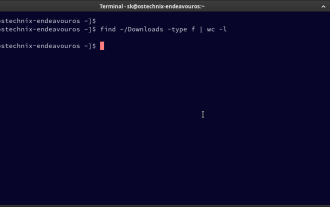
Efficiently Counting Files and Folders in Linux: A Comprehensive Guide Knowing how to quickly count files and directories in Linux is crucial for system administrators and anyone managing large datasets. This guide demonstrates using simple command-l
 How To Add A User To Multiple Groups In Linux
Mar 18, 2025 am 11:44 AM
How To Add A User To Multiple Groups In Linux
Mar 18, 2025 am 11:44 AM
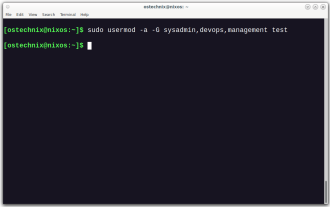
Efficiently managing user accounts and group memberships is crucial for Linux/Unix system administration. This ensures proper resource and data access control. This tutorial details how to add a user to multiple groups in Linux and Unix systems. We
 How To Easily Configure Flatpak Apps Permissions With Flatseal
Mar 22, 2025 am 09:21 AM
How To Easily Configure Flatpak Apps Permissions With Flatseal
Mar 22, 2025 am 09:21 AM
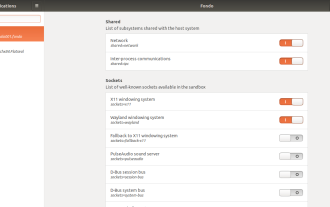
Flatpak application permission management tool: Flatseal User Guide Flatpak is a tool designed to simplify Linux software distribution and use. It safely encapsulates applications in a virtual sandbox, allowing users to run applications without root permissions without affecting system security. Because Flatpak applications are located in this sandbox environment, they must request permissions to access other parts of the operating system, hardware devices (such as Bluetooth, network, etc.) and sockets (such as pulseaudio, ssh-auth, cups, etc.). This guide will guide you on how to easily configure Flatpak with Flatseal on Linux
 How To List Or Check All Installed Linux Kernels From Commandline
Mar 23, 2025 am 10:43 AM
How To List Or Check All Installed Linux Kernels From Commandline
Mar 23, 2025 am 10:43 AM
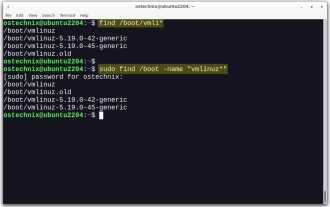
Linux Kernel is the core component of a GNU/Linux operating system. Developed by Linus Torvalds in 1991, it is a free, open-source, monolithic, modular, and multitasking Unix-like kernel. In Linux, it is possible to install multiple kernels on a sing
 How To Type Indian Rupee Symbol In Ubuntu Linux
Mar 22, 2025 am 10:39 AM
How To Type Indian Rupee Symbol In Ubuntu Linux
Mar 22, 2025 am 10:39 AM
This brief guide explains how to type Indian Rupee symbol in Linux operating systems. The other day, I wanted to type "Indian Rupee Symbol (₹)" in a word document. My keyboard has a rupee symbol on it, but I don't know how to type it. After
 What is the Linux best used for?
Apr 03, 2025 am 12:11 AM
What is the Linux best used for?
Apr 03, 2025 am 12:11 AM
Linux is best used as server management, embedded systems and desktop environments. 1) In server management, Linux is used to host websites, databases, and applications, providing stability and reliability. 2) In embedded systems, Linux is widely used in smart home and automotive electronic systems because of its flexibility and stability. 3) In the desktop environment, Linux provides rich applications and efficient performance.
 Linux Kernel 6.14 RC6 Released
Mar 24, 2025 am 10:21 AM
Linux Kernel 6.14 RC6 Released
Mar 24, 2025 am 10:21 AM
Linus Torvalds has released Linux Kernel 6.14 Release Candidate 6 (RC6), reporting no significant issues and keeping the release on track. The most notable change in this update addresses an AMD microcode signing issue, while the rest of the updates
 Yt-dlp Commands: The Complete Tutorial For Beginners (2025)
Mar 21, 2025 am 11:00 AM
Yt-dlp Commands: The Complete Tutorial For Beginners (2025)
Mar 21, 2025 am 11:00 AM
Have you ever wanted to save your favorite videos from the internet? Whether it's a funny cat video or a tutorial you want to watch later, Yt-dlp is here to help! In this comprehensive yt-dlp tutorial, we will explain what yt-dlp is, how to install i
