


Towers of Aghasba Stuck on Loading: Targeted Solutions


Are you stuck on the loading screen of Towers of Aghasba on PS5 or the Desktop? Several game players report this issue. If you are one of them, this post from MiniTool is the right place for you to get corresponding solutions to resolve the Towers of Aghasba stuck on loading issue.
Towers of Aghasba Early Access is released on November 20th. As this is not the final version of this game, it is common for game players to experience various issues, such as Towers of Aghasba crashing, black screen, not loading, and more. The following content concentrates on the Towers of Aghasba stuck on loading issue on PS5 and PC. You can read the corresponding section and try the solutions to troubleshoot your problem.
How to Fix Towers of Aghasba Stuck on Loading on PS5
Way 1. Do Some Basic Checks
One of the most common methods is restarting the game and the device to see if the problem is resolved. Sometimes, the Towers of Aghasba not loading or the black screen issue is caused by temporary glitches. Restarting allows the program or the device to fix those minor issues automatically.
Ensure that the HDMI cable is well-connected without physical damage. If the cable is broken or the connection port is damaged, you need to change a new cable and port to see if the issue is repaired.
Way 2. Update PS5 System Software
If the not loading issue is not only to Towers of Aghasba but also to other games, it’s time to check your PS5, such as updating the system software.
Step 1. Open Settings on your PS5 and choose System.
Step 2. Navigate to System Software > System Software Update and Settings > Update System Software.
Step 3. Choose the Update Using Internet option.
After the update, relaunch Towers of Aghasba to check whether you get rid of this issue successfully.
Way 3. Keep Towers of Aghasba up to Date
As for the early access version of Towers of Aghasba, developers always gather the game issues and release new patches to fix those bugs for a better game experience. Hence, you can search for information from the official sites to check whether a new patch is available.
If yes, update your game to the latest version to get rid of the Towers of Aghasba not launching on PS5 problem.
Way 4. Reinstall Towers of Aghasba
According to some game players, they have successfully resolved the Towers of Aghasba stuck on loading at 99% by uninstalling and reinstalling the game. You can also give this method a try, even maybe for a couple of times.
You can find Towers of Aghasba in your game library and select it. Press the Option button and choose Delete to uninstall it. Afterward, go to the game library or the PlayStation Store to find Towers of Aghasba and choose Download to reinstall it.
How to Fix Towers of Aghasba Stuck on Loading on PC
Way 1. Do Some Basic Checks
Firstly, you need to check whether your computer meets the basic requirements of the game. If not, you may encounter the Towers of Aghasba black screen unexpectedly.
Afterward, restart the game and your computer to rule out the temporary issues of the program and your device, which can be fixed during the restarting process by themselves.
If you find all your games load slowly or are stuck on the loading screen for a long time, it’s time to detect the internet connection and speed of your device. If the game issue is caused by the slow internet speed, you can try MiniTool System Booster, a comprehensive computer tune-up software, to speed it up effectively.
Way 2. Verify the Game File Integrity
Ensure that your game files are intact and well-structured. It is possible to suffer from the Towers of Aghasba stuck on loading or black screen issues due to missing or corrupted game files, which is caused by incomplete game installation or other reasons. Here is how to check the file integrity on Steam.
Step 1. Open Steam Library to find Towers of Aghasba and right-click on it to choose Properties.
Step 2. Change to the Installed Files tab and click on the Verify the integrity of game files.
Steam will spend a few minutes to detect and repair the problematic game files.
Optionally, if your game files are lost due to shift deletion, system crash, or other reasons, you can try to recover them by using MiniTool Power Data Recovery. You can get the free edition of this software to experience its robust data recovery functions and restore 1GB of files for free.
Way 3. Update Towers of Aghasba to the Latest Version
Always remember to follow the latest news on the official site. Towers of Aghasba is a newly released game, which is not shown as the final version. The development team is working to give out new patches to fix those existing issues, including Towers of Aghasba stuck on loading.
If there are any patches available, get them to repair your game issues.
Final Words
This post shows you how to fix the Towers of Aghasba stuck on loading issue on both PS5 and PC. Based on your case, you can read the corresponding section. Hope there is something useful for you.
The above is the detailed content of Towers of Aghasba Stuck on Loading: Targeted Solutions. For more information, please follow other related articles on the PHP Chinese website!

Hot AI Tools

Undresser.AI Undress
AI-powered app for creating realistic nude photos

AI Clothes Remover
Online AI tool for removing clothes from photos.

Undress AI Tool
Undress images for free

Clothoff.io
AI clothes remover

AI Hentai Generator
Generate AI Hentai for free.

Hot Article
Hot Tools

Notepad++7.3.1
Easy-to-use and free code editor

SublimeText3 Chinese version
Chinese version, very easy to use

Zend Studio 13.0.1
Powerful PHP integrated development environment

Dreamweaver CS6
Visual web development tools

SublimeText3 Mac version
God-level code editing software (SublimeText3)
Hot Topics
 1378
1378
 52
52

 What's New in Windows 11 KB5054979 & How to Fix Update Issues
Apr 03, 2025 pm 06:01 PM
What's New in Windows 11 KB5054979 & How to Fix Update Issues
Apr 03, 2025 pm 06:01 PM
Windows 11 KB5054979 Update: Installation Guide and Troubleshooting For Windows 11 24H2 version, Microsoft has released cumulative update KB5054979, which includes several improvements and bug fixes. This article will guide you on how to install this update and provide a solution to the installation failure. About Windows 11 24H2 KB5054979 KB5054979 was released on March 27, 2025 and is a security update for Windows 11 24H2 versions.NET Framework 3.5 and 4.8.1. This update enhances security and
 AI LIMIT Save File Location & Saved File Protection-Full Guide
Mar 17, 2025 pm 10:05 PM
AI LIMIT Save File Location & Saved File Protection-Full Guide
Mar 17, 2025 pm 10:05 PM
Mastering AI LIMIT's Save File Location and Protection: A Comprehensive Guide Planning to dive into the action-packed sci-fi RPG, AI LIMIT, launching March 27, 2025? Understanding your save file location and implementing robust protection methods is
 Schedule I Save File Location: How to Access & Back Up
Mar 27, 2025 pm 08:03 PM
Schedule I Save File Location: How to Access & Back Up
Mar 27, 2025 pm 08:03 PM
Finding your Schedule I save files is crucial for managing and protecting your game progress. This guide shows you how to locate and back up your save data. Where are Schedule I Save Files Located? Schedule I's early access release has garnered posit
 Proven Fixes and Tips for KB5054980 Not Installing
Mar 31, 2025 pm 02:40 PM
Proven Fixes and Tips for KB5054980 Not Installing
Mar 31, 2025 pm 02:40 PM
Troubleshooting KB5054980 Installation Issues on Windows 11 Microsoft released KB5054980 on March 25, 2025, for Windows 11 versions 22H2 and 23H2. While this update doesn't include new security features, it incorporates all previously released securi
 Windows 10 KB5055063: What's New & How to Download It
Mar 31, 2025 pm 03:54 PM
Windows 10 KB5055063: What's New & How to Download It
Mar 31, 2025 pm 03:54 PM
Windows 10 KB5055063 update details and installation troubleshooting KB5055063 is an update for the .NET Framework for Windows 10 22H2 version, including important improvements and fixes. This article will explore KB5055063 in depth, including download methods and various ways to solve installation failure problems. Introduction to Windows 10 KB5055063 KB5055063 is a cumulative update for .NET Framework 3.5, 4.8, and 4.8.1 for Windows 10 version 22H2, on March 25, 2025
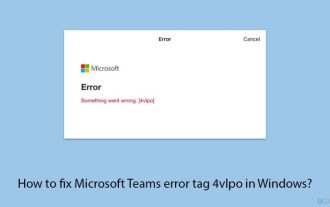 How to fix Microsoft Teams error tag 4vlpo in Windows?
Mar 24, 2025 pm 10:00 PM
How to fix Microsoft Teams error tag 4vlpo in Windows?
Mar 24, 2025 pm 10:00 PM
Microsoft Teams is a critical tool for communication and collaboration, enabling Windows 11 users to engage in meetings, share files, and coordinate with collea
 How to fix KB5055523 fails to install in Windows 11?
Apr 10, 2025 pm 12:02 PM
How to fix KB5055523 fails to install in Windows 11?
Apr 10, 2025 pm 12:02 PM
KB5055523 update is a cumulative update for Windows 11 version 24H2, released by Microsoft on April 8, 2025, as part of the monthly Patch Tuesday cycle, to offe
 WWE 2K25 Can't Connect to Servers? Here're Some Solutions
Mar 18, 2025 pm 08:04 PM
WWE 2K25 Can't Connect to Servers? Here're Some Solutions
Mar 18, 2025 pm 08:04 PM
Troubleshooting WWE 2K25 Server Connection Issues Many WWE 2K25 players are encountering server connection problems, preventing online gameplay and access to certain features. This guide offers solutions to resolve these issues and get you back in th
