


How to buy and sell Dogecoin DOGE? Dogecoin DOGE trading tutorial

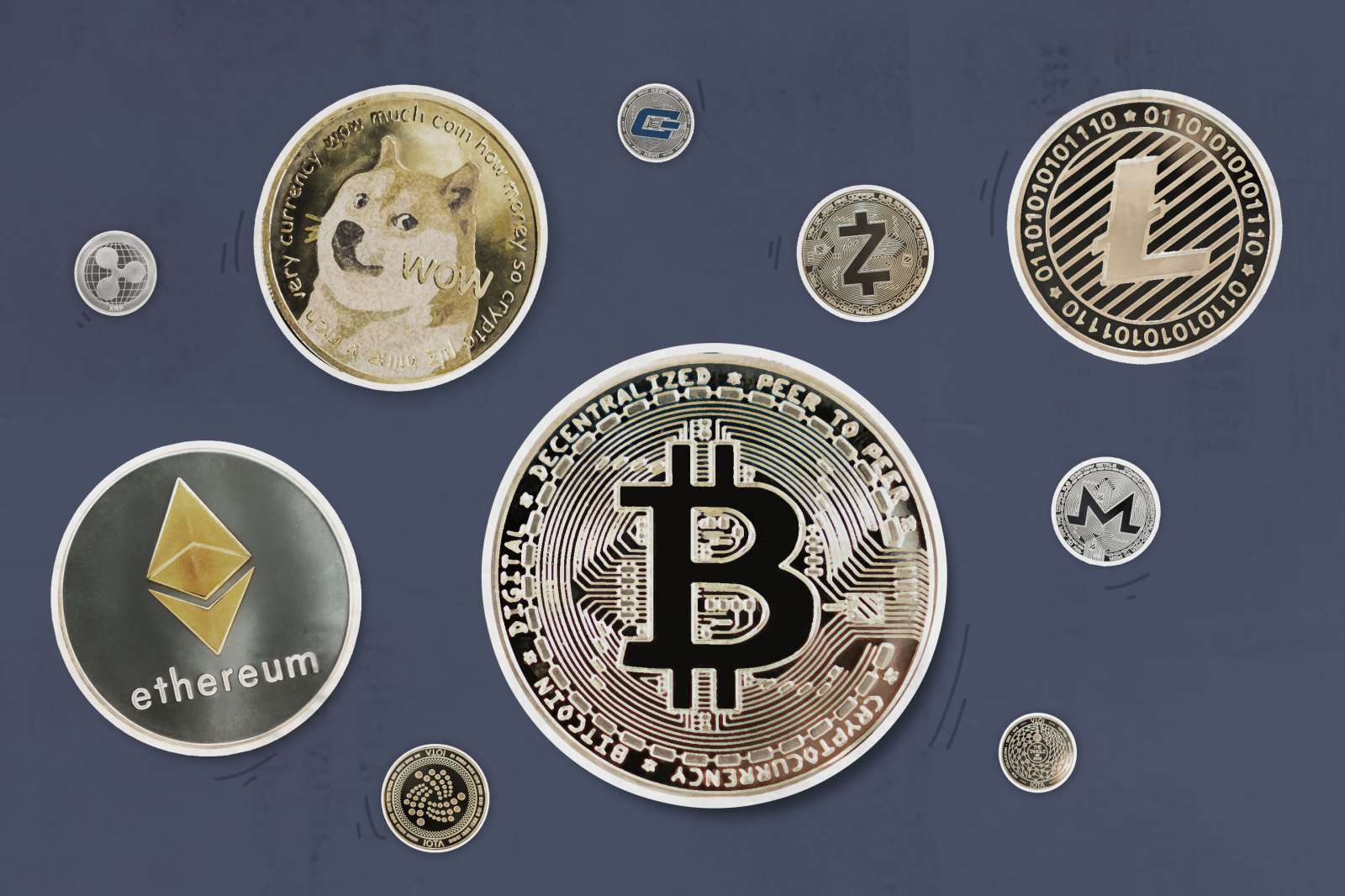
Buying and selling Dogecoin (DOGE) can be done through: using cryptocurrency exchanges such as Binance and Coinbase, by using Dogecoin wallets such as Dogechain and Exodus, or through peer-to-peer marketplaces such as LocalBitcoins and Paxful. To buy Dogecoin, you can buy it directly from other users on an exchange or peer-to-peer market; to sell Dogecoin, you can sell it to other users on an exchange or peer-to-peer market. No matter which method you choose, it's important to do your research and use a reputable platform before making any trades.
How to Buy and Sell Dogecoin (DOGE)
Buy Dogecoin
- Use a cryptocurrency exchange: such as Binance, Coinbase and Kraken. Register an account and deposit via bank transfer or credit/debit card. Use your deposit to buy Dogecoin.
- Use a Dogecoin wallet: such as Dogechain or Exodus. Create a wallet and get an address. Use an exchange or other wallet to send funds to this address to buy Dogecoin.
- Peer-to-peer marketplaces: such as LocalBitcoins or Paxful. Trade directly with other users to buy Dogecoin with cash, gift cards, or other payment methods.
Sell Dogecoin
- Use a Cryptocurrency Exchange: Sell at the exchange where you bought Dogecoin Dogecoin. Transfer Dogecoin from your wallet to an exchange and sell it at a price you’re happy with.
- Using a Dogecoin wallet: Transfer Dogecoin from your wallet to a cryptocurrency exchange or peer-to-peer market. You can then sell your Dogecoin and withdraw your funds.
- Peer-to-Peer Marketplace: Trade directly with other users to sell Dogecoin for cash, gift cards, or other payment methods.
Detailed steps
Buy Dogecoin
- Sign up for a cryptocurrency exchange account.
- Deposit funds (use bank transfer, credit/debit card).
- Search for "Dogecoin" (DOGE).
- Enter the quantity and price you want to purchase.
- Submit the order and confirm the transaction.
Sell Dogecoin
- Transfer Dogecoin from your wallet to an exchange or peer-to-peer market.
- Search for "Dogecoin" (DOGE).
- Enter the quantity and price you want to sell.
- Submit the order and confirm the transaction.
- Withdraw funds (using bank transfer or other payment methods).
Notes
- Research and understand Dogecoin carefully before making any transactions.
- Only use reputable cryptocurrency exchanges and wallets.
- Protect your private keys and enable two-factor authentication.
- Dogecoin is a highly volatile investment, so it is important to be prepared for the risks before investing.
The above is the detailed content of How to buy and sell Dogecoin DOGE? Dogecoin DOGE trading tutorial. For more information, please follow other related articles on the PHP Chinese website!

Hot AI Tools

Undresser.AI Undress
AI-powered app for creating realistic nude photos

AI Clothes Remover
Online AI tool for removing clothes from photos.

Undress AI Tool
Undress images for free

Clothoff.io
AI clothes remover

AI Hentai Generator
Generate AI Hentai for free.

Hot Article
Hot Tools

Notepad++7.3.1
Easy-to-use and free code editor

SublimeText3 Chinese version
Chinese version, very easy to use

Zend Studio 13.0.1
Powerful PHP integrated development environment

Dreamweaver CS6
Visual web development tools

SublimeText3 Mac version
God-level code editing software (SublimeText3)
Hot Topics
 1377
1377
 52
52

 okx Ouyi Exchange web version enter link click to enter
Mar 31, 2025 pm 06:21 PM
okx Ouyi Exchange web version enter link click to enter
Mar 31, 2025 pm 06:21 PM
1. Enter the web version of okx Euyi Exchange ☜☜☜☜☜☜ Click to save 2. Click the link of okx Euyi Exchange app ☜☜☜☜ Click to save 3. After entering the official website, the clear interface provides a login and registration portal. Users can choose to log in to an existing account or register a new account according to their own situation. Whether it is viewing real-time market conditions, conducting transactions, or managing assets, the OKX web version provides a simple and smooth operating experience, suitable for beginners and veterans. Visit OKX official website now for easy experience
 gate.io registration tutorial
Mar 31, 2025 pm 11:09 PM
gate.io registration tutorial
Mar 31, 2025 pm 11:09 PM
This article provides a detailed Gate.io registration tutorial, covering every step from accessing the official website to completing registration, including filling in registration information, verifying, reading user agreements, etc. The article also emphasizes security measures after successful registration, such as setting up secondary verification and completing real-name authentication, and gives tips from beginners to help users safely start their digital asset trading journey.
 What is Ouyi for? What is Ouyi
Apr 01, 2025 pm 03:18 PM
What is Ouyi for? What is Ouyi
Apr 01, 2025 pm 03:18 PM
OKX is a global digital asset trading platform. Its main functions include: 1. Buying and selling digital assets (spot trading), 2. Trading between digital assets, 3. Providing market conditions and data, 4. Providing diversified trading products (such as derivatives), 5. Providing asset value-added services, 6. Convenient asset management.
 gate.io latest registration tutorial for beginners
Mar 31, 2025 pm 11:12 PM
gate.io latest registration tutorial for beginners
Mar 31, 2025 pm 11:12 PM
This article provides newbies with detailed Gate.io registration tutorials, guiding them to gradually complete the registration process, including accessing the official website, filling in information, identity verification, etc., and emphasizes the security settings after registration. In addition, the article also mentioned other exchanges such as Binance, Ouyi and Sesame Open Door. It is recommended that novices choose the right platform according to their own needs, and remind readers that digital asset investment is risky and should invest rationally.
 The latest registration tutorial for gate.io web version
Mar 31, 2025 pm 11:15 PM
The latest registration tutorial for gate.io web version
Mar 31, 2025 pm 11:15 PM
This article provides a detailed Gate.io web version latest registration tutorial to help users easily get started with digital asset trading. The tutorial covers every step from accessing the official website to completing registration, and emphasizes security settings after registration. The article also briefly introduces other trading platforms such as Binance, Ouyi and Sesame Open Door. It is recommended that users choose the right platform according to their own needs and pay attention to investment risks.
 How to roll positions in digital currency? What are the digital currency rolling platforms?
Mar 31, 2025 pm 07:36 PM
How to roll positions in digital currency? What are the digital currency rolling platforms?
Mar 31, 2025 pm 07:36 PM
Digital currency rolling positions is an investment strategy that uses lending to amplify trading leverage to increase returns. This article explains the digital currency rolling process in detail, including key steps such as selecting trading platforms that support rolling (such as Binance, OKEx, gate.io, Huobi, Bybit, etc.), opening a leverage account, setting a leverage multiple, borrowing funds for trading, and real-time monitoring of the market and adjusting positions or adding margin to avoid liquidation. However, rolling position trading is extremely risky, and investors need to operate with caution and formulate complete risk management strategies. To learn more about digital currency rolling tips, please continue reading.
 ok official portal web version ok exchange official web version login portal
Mar 31, 2025 pm 06:24 PM
ok official portal web version ok exchange official web version login portal
Mar 31, 2025 pm 06:24 PM
This article details how to use the official web version of OK exchange to log in. Users only need to search for "OK Exchange Official Web Version" in their browser, click the login button in the upper right corner after entering the official website, and enter the user name and password to log in. Registered users can easily manage assets, conduct transactions, deposit and withdraw funds, etc. The official website interface is simple and easy to use, and provides complete customer service support to ensure that users have a smooth digital asset trading experience. What are you waiting for? Visit the official website of OK Exchange now to start your digital asset journey!
 How to calculate the transaction fee of gate.io trading platform?
Mar 31, 2025 pm 09:15 PM
How to calculate the transaction fee of gate.io trading platform?
Mar 31, 2025 pm 09:15 PM
The handling fees of the Gate.io trading platform vary according to factors such as transaction type, transaction pair, and user VIP level. The default fee rate for spot trading is 0.15% (VIP0 level, Maker and Taker), but the VIP level will be adjusted based on the user's 30-day trading volume and GT position. The higher the level, the lower the fee rate will be. It supports GT platform coin deduction, and you can enjoy a minimum discount of 55% off. The default rate for contract transactions is Maker 0.02%, Taker 0.05% (VIP0 level), which is also affected by VIP level, and different contract types and leverages